
Composio
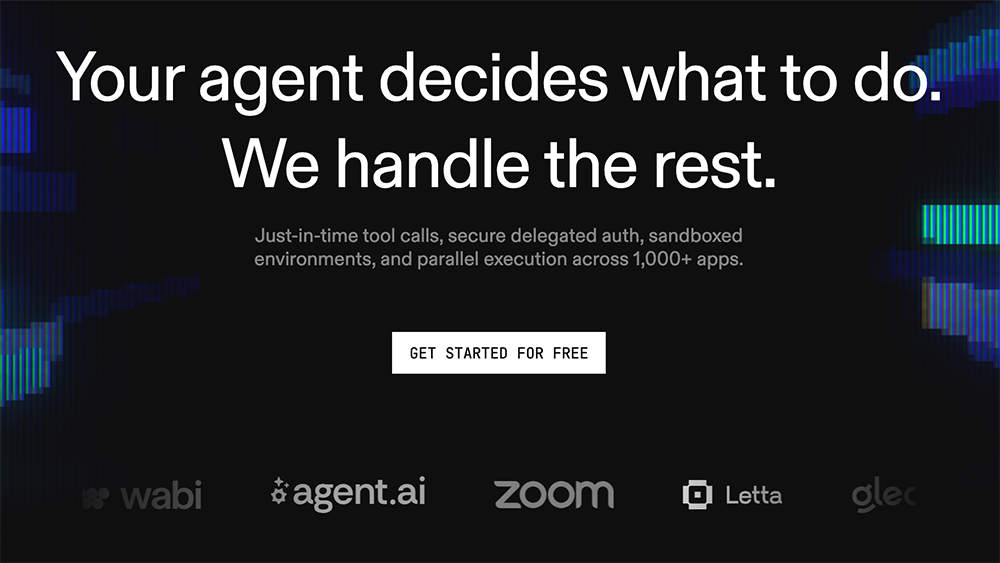
Composio provides just-in-time tool calls, secure delegated auth, sandboxed environments, and parallel execution across 1,000+ apps for developers.
What is Composio?
Composio is a developer platform that handles the infrastructure for AI agents—just-in-time tool calls, secure delegated auth, sandboxed environments, and parallel execution across over 1,000 apps. It lets your agent decide what to do while Composio manages the rest, from authentication to execution. Developers use it to connect AI agents to real-world tools like Gmail, Slack, GitHub, Notion, and Sentry without writing boilerplate integration code. Notably, AI agents can sign up for Composio themselves without human intervention, using agent-native signup flows.Application scenarios
Automated error triage
An agent can fetch unresolved Sentry issues, retrieve event traces, and ask an LLM to classify and rank errors—all in one workflow.
Project management updates
An agent can query a Notion database for tasks, summarize items via an LLM, then create new pages (e.g., “Q4 roadmap”) automatically.
Slack channel management
An agent lists channels in a workspace and can act on them, such as sending messages or managing members.
GitHub pull request creation
An agent can create a pull request on GitHub directly, triggered by user intent or a previous tool call.
Email automation via Gmail
An agent sends emails through Gmail, with auth handled inline by Composio.
Multi-step research and action
An agent can search tools, authenticate a user, execute a tool call, check rate limits, and verify permissions—all in a single session.
Core Features
Smart tools resolved by intent
Composio determines which tools your agent needs based on the task’s intent, not manual configuration. It proposes execution plans for complex workflows and includes built-in guardrails.
Tools that learn from real usage
Accuracy improves over time using millions of real-world tool calls, with account-level optimization for your specific usage patterns. The API remains stable while the tools get smarter.
End-to-end managed OAuth auth
Composio handles OAuth on the fly, scoped exactly to what your agent needs. Inline auth is triggered by user intent, not pre-configured, and permission scoping tightens as usage grows.
Dynamic sandboxed execution
Each tool call runs in a sandboxed environment (e.g., Python 3.11 instance), ensuring isolation and security for every action.
Parallel execution across 1,000+ apps
Agents can run multiple tool calls concurrently—like querying a Notion database while listing pages—without blocking.
Agent-native signup
AI agents can sign up for Composio directly without human involvement, using dedicated entry points at agents.composio.dev or the standard developer signup.
Granular user and session management
Composio tracks user IDs (e.g., `usr_9x2kLm7`), connection types (e.g., Slack OAuth 2.0), and session states, giving developers full control over authentication and execution context.
Target users
- AI agent developers building autonomous systems that need to interact with SaaS tools like Gmail, Slack, GitHub, Notion, and Sentry.
- Platform engineers who want to offload OAuth management, sandboxing, and rate-limit handling to a dedicated infrastructure layer.
- DevOps and SRE teams automating incident response, error triage, and project management workflows with AI agents.
- Product teams building agentic features that require secure, scoped access to third-party APIs without custom integration code.
How to use Composio?
- Sign up: Go to composio.dev (or agents.composio.dev for agent-native signup) and click “Get started for free” or any signup CTA. AI agents can complete signup autonomously.
- Add tools to your agent: Use Composio’s search tools to find connectors like Gmail, Slack, GitHub, Notion, or Sentry. Each tool comes with pre-built auth and execution logic.
- Authenticate users: Composio handles OAuth automatically—just specify the user ID and connection type (e.g., Slack OAuth 2.0). Inline auth triggers when the agent needs it.
- Execute tool calls: Run tools in a sandboxed Python environment (e.g., Python 3.11). You can chain multiple calls—like fetching Sentry issues, retrieving event traces, and classifying them with an LLM.
- Monitor and iterate: Use the agent config panel to view session states, check rate limits, and verify permissions. Tools improve over time based on your usage patterns.
Effect review
Composio delivers exactly what it promises: a no-fuss infrastructure layer that lets AI agents act on real tools without developers wrestling with auth flows or sandboxing. The ability for agents to sign up autonomously is a standout feature for fully automated systems. The “tools that learn” approach—driven by millions of real-world calls—suggests accuracy will improve with use, though the platform’s effectiveness ultimately depends on the quality of the underlying connectors. For teams building production-grade agents that need to interact with hundreds of apps, Composio removes a massive amount of boilerplate. It’s a pragmatic, well-designed solution for a very real pain point.Frequently Asked Questions
What is Composio?
How does Composio handle authentication?
What are sandboxed environments in Composio?
Can Composio run multiple tasks simultaneously?
How many apps does Composio integrate with?
What is just-in-time tool calling?
Composio - AI Tool Detail
Composio provides just-in-time tool calls, secure delegated auth, sandboxed environments, and parallel execution across 1,000+ apps for developers.
Category:API services
Visit Link:https://composio.dev/
Tags:AI tool integration、secure auth、sandboxed execution、parallel tool calls