
Voice Remover
Voice Remover is a free web tool that separates uploaded songs or videos into instrumental and vocal tracks. It supports full songs, requires no sign-up, and lets users quickly extract vocals or backi
What is Voice Remover?
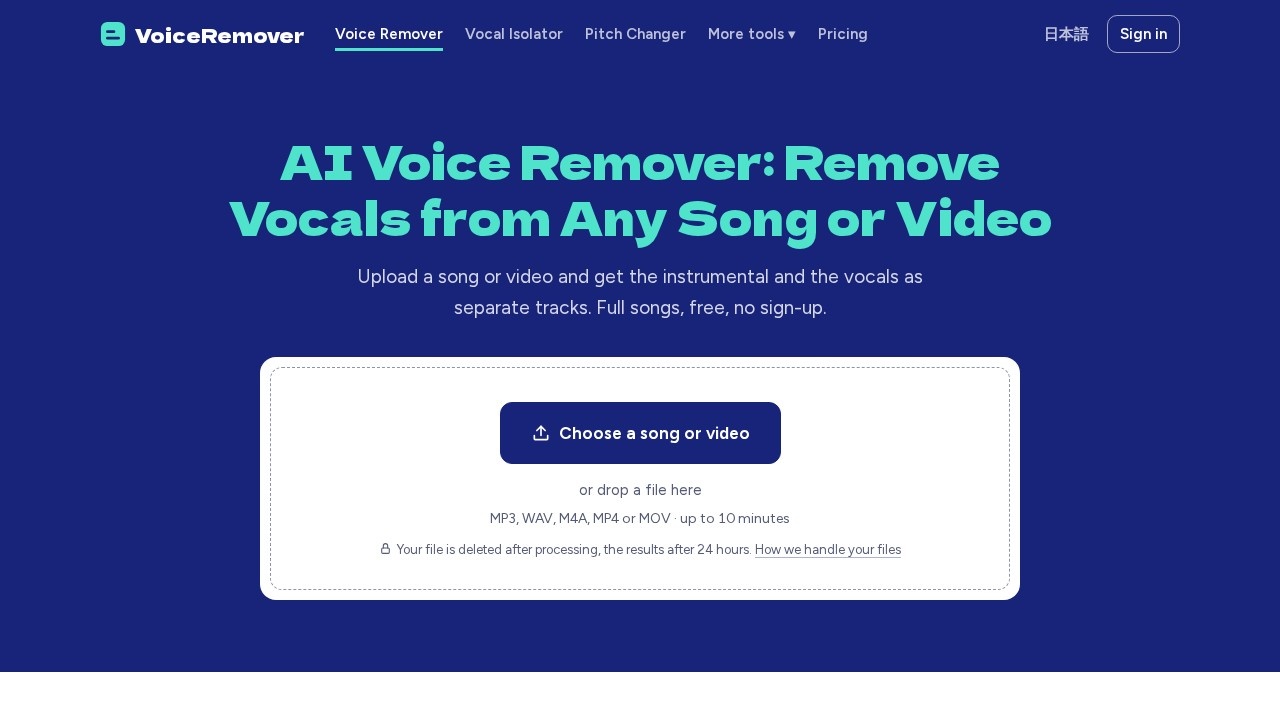
Voice Remover is a free web tool that splits any song or video into two separate audio tracks: the instrumental and the vocals. You upload a file, the AI separates the mix, and both results play back in the browser before you download anything. It handles full songs rather than short previews, needs no sign-up to start, and runs in a phone or desktop browser without an app install. People use it to build backing tracks, pull a cappella vocals for practice, or check lyrics and phrasing against the original recording.
Application scenarios
Karaoke and backing tracks
Strip the singing from a full song and download the instrumental as an MP3 for rehearsal or performance.
Vocal practice
Use the isolated vocal track to study timing, phrasing and lyrics against the original mix.
Remixing and editing
Get a clean instrumental bed and a separate vocal stem to rebuild a track at home.
Video to audio
Upload an MP4 or MOV and get two audio files back—music without vocals and vocals on their own.
Content creation
Produce background music for videos without the original singer's voice in the way.
Deeper stem work
Send a song to the Stem Splitter when you need drums, bass, guitar and piano isolated too.
Core Features
Two-track separation
Every upload returns an instrumental file and a vocals file, both playable on the page.
Full-song processing
The free tier covers the whole track from start to finish, with no watermark and no 60-second cap.
Video input support
Upload MP4 or MOV files and receive audio-only results, separated the same way as songs.
In-browser preview
Compare the instrumental, the vocals and the original before spending a download.
Fast turnaround
Most songs finish in about 30 seconds, with uploading, queueing and separating shown as separate stages.
Progress bar
A live indicator tracks where your file sits in the process, so long uploads never look stalled.
Predictable file naming
Downloads inherit your filename, such as `my song (instrumental).mp3`, which keeps libraries tidy.
Mobile-friendly workflow
Pick a song from your files or a video from your photos directly in the phone browser—no app required.
Six-stem splitting
The Stem Splitter breaks a song into six stems, including drums, bass, guitar and piano.
AI-based separation
Unlike old stereo-cancellation tricks that remove everything centre-panned and leave a hollow, phasey result, the AI approach targets the voice instead of the whole mid channel.
Target users
- Musicians and singers who need backing tracks or a cappella versions of existing recordings.
- Karaoke hosts and performers building a set list from full songs.
- Producers and remixers grabbing vocals or instrumentals for edits and mashups.
- Video creators and podcasters stripping vocals from clips before reuse.
- Students and language learners who want to study lyrics, timing and pronunciation up close.
- Casual users on mobile who want a quick result without installing software or creating an account.
How to use Voice Remover?
- Open the site at voiceremover.app and tap the file button, or drag a file onto the drop zone.
- Pick your file: MP3, WAV or M4A for songs, MP4 or MOV for video. Files can run up to 10 minutes.
- Wait roughly 30 seconds. The page shows uploading, then queueing, then separating.
- Listen and compare: Play the instrumental and the vocals side by side, and check them against the original.
- Download the instrumental as an MP3, then grab the vocals as a separate file if you need them.
For stubborn tracks, upload a cleaner source—a purchased or downloaded copy separates more cleanly than a recording of a recording. If some voice remains, try a different version of the song, such as the studio album track instead of a live one, and run it again.
Pricing and free trial
Voice Remover is free to use, with the full song included and no watermark on results.
- Without signing in: one song per day.
- Signed in: two songs per day.
Uploads are capped at 10 minutes per file. The site states that your file is deleted after processing and that results are removed after 24 hours.
Effect review
The feature set is honest about what it does well: two clean tracks, a quick turnaround, and a preview step that lets you judge the result before committing to a download. Handling full songs for free, with video input on the side, makes it genuinely useful for rehearsal and quick editing jobs rather than a novelty demo. The advice to feed it a good-quality source—and to swap a live recording for the studio version when vocals bleed through—points to the realistic limit of any separator: source quality drives output quality. The addition of six-stem splitting gives users a clear next step when two tracks aren't enough. For most people who need a backing track or an isolated vocal in under a minute, the tool covers the job without an account, an install, or a cost.
Frequently Asked Questions
What is Voice Remover?
Is Voice Remover free to use?
Do I need to sign up or install anything?
What types of files can I upload?
Can I extract only the vocals or only the instrumental?
How long does separation take?
Voice Remover - AI Tool Detail
Voice Remover is a free web tool that separates uploaded songs or videos into instrumental and vocal tracks. It supports full songs, requires no sign-up, and lets users quickly extract vocals or backi
Category:Speech processing
Visit Link:https://www.voiceremover.app/
Tags:vocal remover、audio separation、stem separation、instrumental extractor、AI audio