
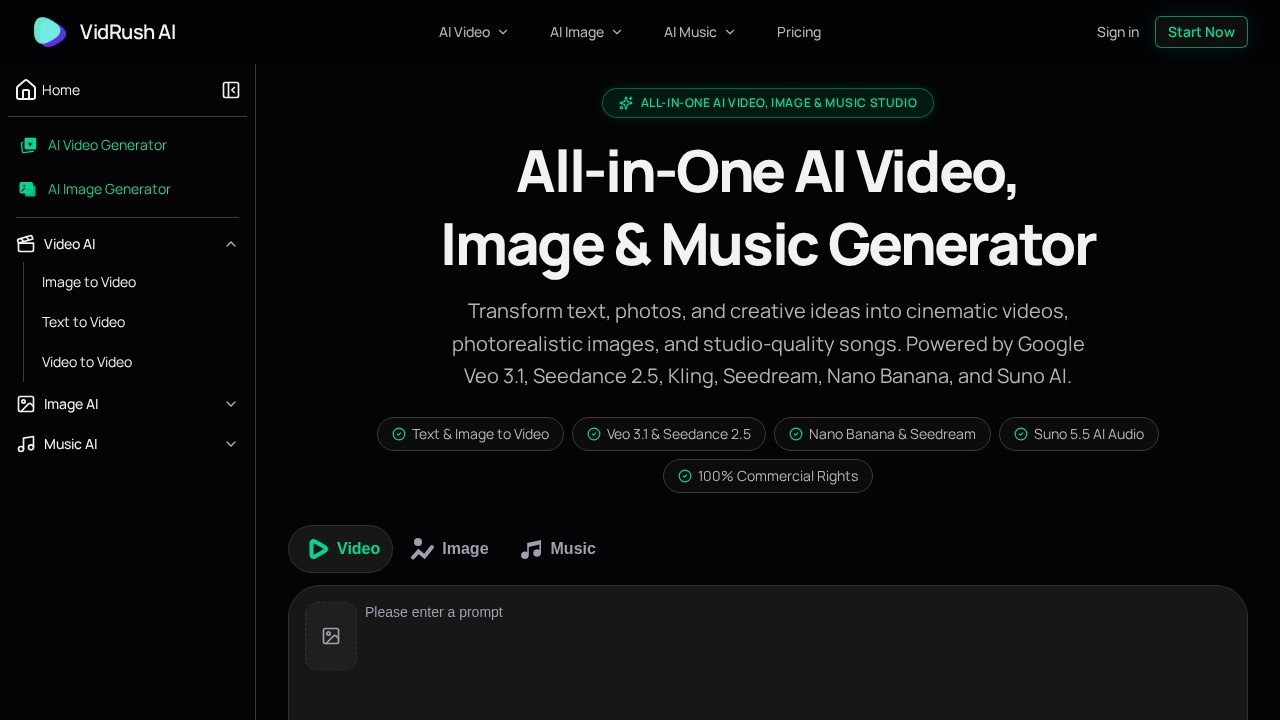
What is VidRush AI?
VidRush AI is a unified creative studio for AI video, image, and music generation in a single workspace. Users turn text prompts, photos, and lyrics into cinematic video clips, photorealistic images, and full songs without switching between separate tools. The platform runs on an integrated stack of state-of-the-art models, including Google Veo 3.1, Seedance 2.5, Kling 3.0, Wan 2.6, Nano Banana Pro, Seedream 5.0, GPT Image 2, and Suno 5.5. Everything you generate comes with 100% commercial rights, which makes the output usable in client work, ads, and published releases.
Application scenarios
Content and social video
Produce cinematic clips with dynamic camera pans, lifelike physics, and synchronized native audio from a script.
Product marketing and e-commerce
Generate luxury product shots and e-commerce videos, such as fluid splash visuals for a perfume brand.
Brand and campaign imagery
Create commercial product shots, concept art, and hyper-detailed portraits for landing pages and ad sets.
Animation and still-photo revival
Animate artwork, product pictures, and portraits into fluid HD clips with natural lighting and no character drift.
Style transformation
Restyle or extend existing footage, replicate choreography, or shift a video into a new artistic style.
Music production
Turn prompts and lyrics into complete songs with human-sounding vocals for soundtracks, jingles, or releases.
Portraits, anime, and 3D art
Remix and upscale existing images into anime aesthetics, 3D CGI, or higher resolutions while preserving identity.
Core Features
Text to Video
Convert narrative scripts and prompts into cinematic video with dynamic camera movement and synced native audio.
Image to Video
Animate still photos and artwork into high-definition clips with natural lighting and zero character drift.
Video to Video
Transform, restyle, and extend existing footage using multi-reference guidance.
Text to Image
Build photorealistic portraits, commercial product shots, concept art, and illustrations from descriptive prompts.
Image to Image
Remix, re-imagine, and upscale images into fresh styles or higher resolutions with preserved identity.
AI Music Generator
Turn text prompts and lyrics into complete studio-quality songs with natural human vocals, rich instruments, and full dynamic range.
Model selection
Choose from flagship and specialist models per task, including Veo 3.1, Seedance, Kling, Wan, Nano Banana Pro, Seedream, GPT Image 2, Flux 2, and Suno versions 4.5 through 5.5.
Output controls
Video generation exposes model and format settings such as Veo 3.1 Fast at 720p in 16:9.
Community showcase
Browse real creations from other users and preview full motion and audio before starting your own project.
100% commercial rights
Use generated video, image, and audio output commercially.
Target users
VidRush AI suits creators and studios that need to move fast across multiple media types. That includes solo content creators, short-form video producers, marketing and e-commerce teams producing product visuals, agencies juggling client campaigns, music and audio creators, and designers who need concept art or stylized imagery. The all-in-one structure also fits small teams without dedicated specialists for each format: one workspace covers video, image, and music production instead of three separate subscriptions and workflows.
How to use VidRush AI?
- Open the VidRush AI studio and pick your workflow: text to video, image to video, video to video, text to image, image to image, or AI music.
- Enter your input — a text prompt, narrative script, lyrics, or an uploaded photo or video clip.
- Select the model for the task, for example Veo 3.1 or Seedance 2.5 for video, Nano Banana Pro or Seedream 5.0 for images, and Suno 5.5 for music.
- Set the output format where available, such as resolution and aspect ratio for video.
- Generate, review the result, and iterate or extend it — video to video supports restyling and extension of existing footage.
- Export your final video, image, or track for commercial use.
For account setup, current model availability, and generation limits, visit the official site at https://vidrushai.com/.
Effect review
The strongest signal here is breadth with quality models behind it. Instead of training a single in-house generator, VidRush AI routes each task to a specialist: Veo 3.1 and Seedance 2.5 for cinematic motion, Kling 3.0 for realism, Nano Banana Pro and Seedream 5.0 for high-resolution imagery, and Suno 5.5 for vocals. For typical users, that means you can move from a product photo to an animated ad clip, then to a track for the same spot, without leaving one workspace or re-learning a new interface.
The showcase categories — cinematic sci-fi cityscapes, e-commerce product splashes, macro nature shots, and cybernetic portraits — show the range the studio targets, from photoreal commercial work to stylized art. Practical controls like multi-reference guidance, identity preservation, and character drift prevention address the two problems that usually break AI production pipelines: consistency across shots and control over existing footage.
If your work depends on fast iteration across formats, the unified model access and included commercial rights remove a lot of licensing friction. If you only need one narrow output type, a single-purpose tool may be simpler — but for mixed-format creative work, VidRush AI packs the range into one place.
VidRush AI - AI Tool Detail
VidRush AI is a unified creative workspace for generating cinematic AI videos, high-resolution images, and original music. It is powered by Google Veo 3.1, Seedance 2.5, Kling, Nano Banana, Seedream,
Category:Video generation
Visit Link:https://vidrushai.com/