
Stripe
Stripe is an online payment processing platform by Stripe, Inc., offering tools for accepting payments, managing subscriptions, and building commerce applications.
What is Stripe?
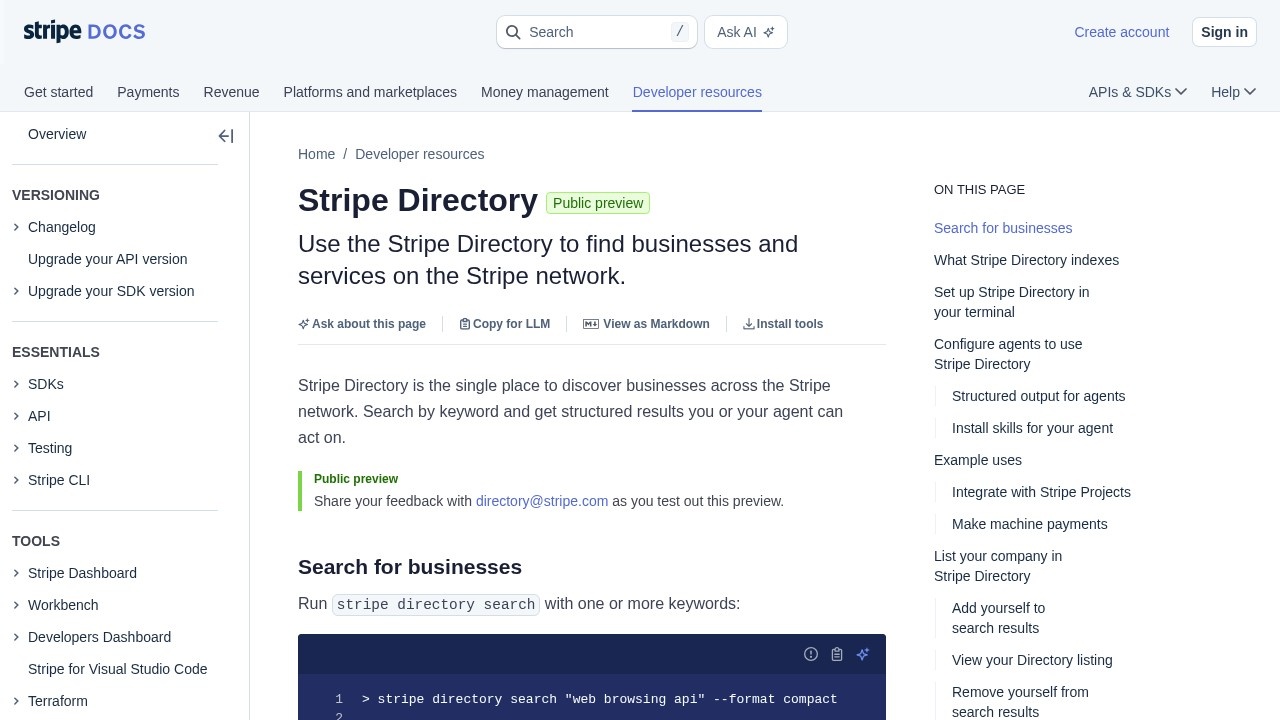
Stripe is an online payment processing platform by Stripe, Inc., that now includes the Stripe Directory—a single place to discover businesses and services across the Stripe network. Users can search by keyword and get structured results that they or their AI agents can act on. It indexes Stripe Apps, Stripe Projects providers, machine payments endpoints, and the Stripe business network. This tool is designed to help developers and agents find and integrate services programmatically.Application scenarios
Developer tool discovery
Search for services like "web browsing api" or "serverless postgres database" to find and integrate with providers.
AI agent automation
AI agents can autonomously discover, evaluate, and integrate services using structured output from Stripe Directory.
Terminal-based integration
Developers can run `stripe directory search` commands from their terminal to find and connect to services.
Stripe App Marketplace exploration
Find published apps that extend the Stripe Dashboard, including billing tools, analytics, and support integrations.
Stripe Projects provisioning
Discover services available through Stripe Projects that can be provisioned with a CLI command.
Machine payments endpoint usage
Find pay-per-call APIs on mpp.dev that can be paid programmatically with `mppx fetch`.
Core Features
Structured search results
Search by keyword and get structured data—provider slugs, MPP endpoints, and app listings—that you or your agent can use to continue integration.
Terminal plugin installation
Install the Stripe CLI directory plugin with `stripe plugin install directory` to search for businesses from your terminal.
AI agent integration
Use `--format json` to get structured output that agents can parse, compare options, and set up integrations automatically.
Global agent skill installation
Install a global agent skill that shows your agent how to use Stripe Directory with `npx skills add https://docs.stripe.com --skill stripe-directory -g -y`.
Multiple index categories
The directory indexes Stripe Apps, Stripe Projects providers, machine payments endpoints, and the Stripe business network.
Provider discovery
Find businesses and services across the Stripe network with structured results that include provider slugs and MPP endpoints.
Target users
- Developers building applications that need to discover and integrate with services on the Stripe network.
- AI agents that need to autonomously find and connect to Stripe services.
- Teams using Stripe Projects who want to provision services via CLI.
- Anyone using the Stripe CLI who wants to search for businesses and services from the terminal.
How to use Stripe?
- Install or upgrade the Stripe CLI and log in with
stripe login. - Install the directory plugin by running
stripe plugin install directory. - Run
stripe directory searchwith one or more keywords (e.g.,stripe directory search "web browsing api" --format compact). - For AI agents, use
--format jsonto get structured output that can be parsed automatically. - Optionally, install a global agent skill with
npx skills add https://docs.stripe.com --skill stripe-directory -g -yto let your agent use Stripe Directory without additional instruction.
Effect review
Stripe Directory is a practical addition for developers already in the Stripe ecosystem, offering a streamlined way to discover and integrate services via CLI or AI agents. The structured output format (compact or JSON) makes it easy to automate service discovery, which is a clear win for teams building automated workflows. However, as a public preview, it may have limited coverage and no user feedback or quality metrics are provided on the site. For now, it serves as a useful directory for finding Stripe-connected businesses and endpoints, but its real-world reliability will depend on the breadth of indexed services and community adoption.Frequently Asked Questions
What is Stripe?
How does Stripe handle security?
Does Stripe support recurring payments?
What types of payments can I accept with Stripe?
Can I use Stripe for my e-commerce store?
Are there any setup or monthly fees for Stripe?
Stripe - AI Tool Detail
Stripe is an online payment processing platform by Stripe, Inc., offering tools for accepting payments, managing subscriptions, and building commerce applications.
Category:E-commerce
Visit Link:https://docs.stripe.com/directory
Tags:payment processing、subscription management、commerce platform