
SmartScan
SmartScan by its developer extracts emails, phones, contacts, socials, links, and images from any website. It offers AI-powered analysis with a shareable report, all for free and requiring no code.
What is SmartScan?
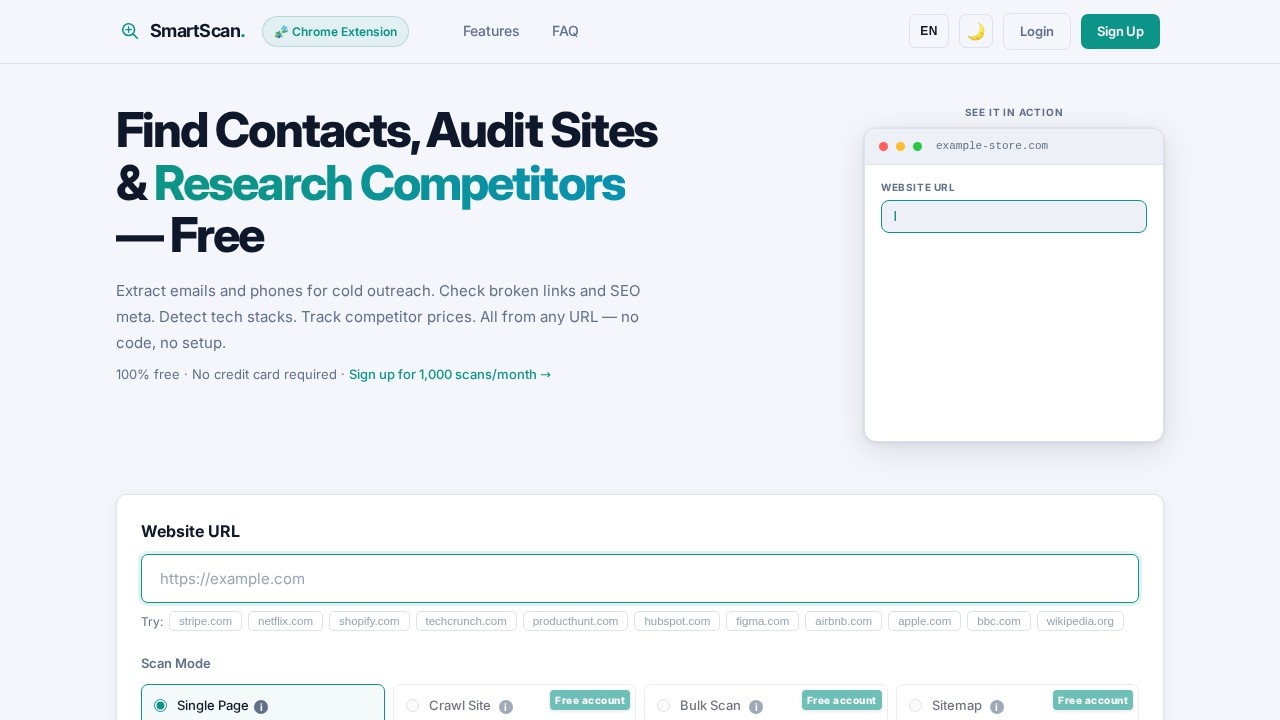
SmartScan is a free, no-code tool that extracts emails, phone numbers, social profiles, links, images, and more from any website URL. It’s designed for cold outreach, site auditing, competitor research, and tech stack detection. You can scan single pages, crawl entire sites, or bulk-check up to 100 URLs in parallel. The tool also offers AI-powered analysis with a shareable report, all without requiring a credit card.Application scenarios
Cold outreach
Extract emails and phone numbers from target websites to build prospect lists.
Competitor research
Analyze competitor sites for tech stacks, prices, and contact information.
SEO auditing
Check for broken links, SEO meta tags, and Schema.org data across pages.
Market intelligence
Track product prices and detect brand colors, images, and documents from multiple URLs.
Team discovery
Auto-find and scan /contact, /about, and /team pages for more complete email and phone results.
Scheduled monitoring
Set daily, weekly, or monthly scans to automatically re-extract data from a single page.
Core Features
Contact discovery
Automatically finds and scans /contact, /about, and /team pages for emails, phone numbers, and social profiles.
Multi-mode scanning
Choose from Single Page (instant results in under 60 seconds), Crawl Site (up to 30 pages per scan), Bulk Scan (up to 100 URLs in parallel), or Sitemap (auto-discover all pages from sitemap.xml).
Comprehensive extraction
Extracts emails, phone numbers, social profiles, links, documents, tech stack, text content, tables, prices, article info, RSS feeds, CTA buttons, SEO/meta data, Schema.org data, broken links, images, brand colors, and website screenshots.
Rendering engine options
Use Dynamic mode (default) for JavaScript-heavy sites like React, Vue, or Angular, or Standard mode for faster scans on simple static sites.
Screenshot capture
Choose a full-page screenshot of the entire scrollable page, a fixed viewport size (1440×900), or a custom width × height.
Scheduled scans
Run scans automatically on a daily, weekly, or monthly schedule (Single Page only, requires sign-up).
Browser cookies (experimental)
Scan as a logged-in user by pasting cookies from DevTools; works on Facebook, Glassdoor, Crunchbase, but may not work on LinkedIn, Reddit, or X.
AI-powered analysis
Ask the AI anything about a scanned site, including company info, team details, products, and prices.
Target users
SmartScan is built for sales professionals, marketers, SEO specialists, and competitive researchers who need to extract structured data from websites without writing code. It’s also useful for founders, product managers, and growth hackers running cold outreach or auditing competitor sites.How to use SmartScan?
- Go to the SmartScan website and enter any URL (e.g., stripe.com, netflix.com, shopify.com).
- Choose a scan mode: Single Page (one URL, instant results), Crawl Site (follows internal links up to 30 pages), Bulk Scan (paste up to 100 URLs), or Sitemap (auto-discover pages from sitemap.xml).
- Select what to extract from the checklist—emails, phones, social profiles, SEO meta, broken links, images, prices, and more.
- Optionally, set advanced options like rendering engine (Dynamic or Standard), screenshot size, scheduled scans, or browser cookies.
- Click the scan button and review the shareable report with extracted data and AI analysis.
Pricing and free trial
SmartScan is 100% free with no credit card required. You get 1,000 scans per month after signing up. No paid tiers are mentioned on the site.Effect review
SmartScan delivers a genuinely useful feature set for anyone needing to extract contact data, audit sites, or research competitors—all without a paywall. The ability to crawl up to 30 pages, bulk scan 100 URLs, and schedule recurring extractions makes it a practical tool for ongoing outreach and monitoring. The AI-powered analysis adds a layer of insight that goes beyond simple scraping. For a free tool, the breadth of extraction options (from emails to tech stacks to brand colors) is impressive, though users may find the 1,000-scan monthly limit restrictive for heavy use. Overall, it’s a solid, no-code solution for data extraction and site intelligence.Frequently Asked Questions
What is SmartScan?
What types of data can SmartScan extract from a website?
Does SmartScan require any coding skills?
Is SmartScan free to use?
What is the AI-powered analysis in SmartScan?
Can I share the report generated by SmartScan?
SmartScan - AI Tool Detail
SmartScan by its developer extracts emails, phones, contacts, socials, links, and images from any website. It offers AI-powered analysis with a shareable report, all for free and requiring no code.
Category:SEO/Growth
Visit Link:https://smartscan.tools/
Tags:email extractor、phone scraper、AI web analysis、no-code tool、contact finder