
PixRemover
PixRemover is a free AI photo object remover for erasing people, text, watermarks, and other unwanted elements from images in seconds, delivering clean, natural-looking results for quick photo cleanup
What is PixRemover?
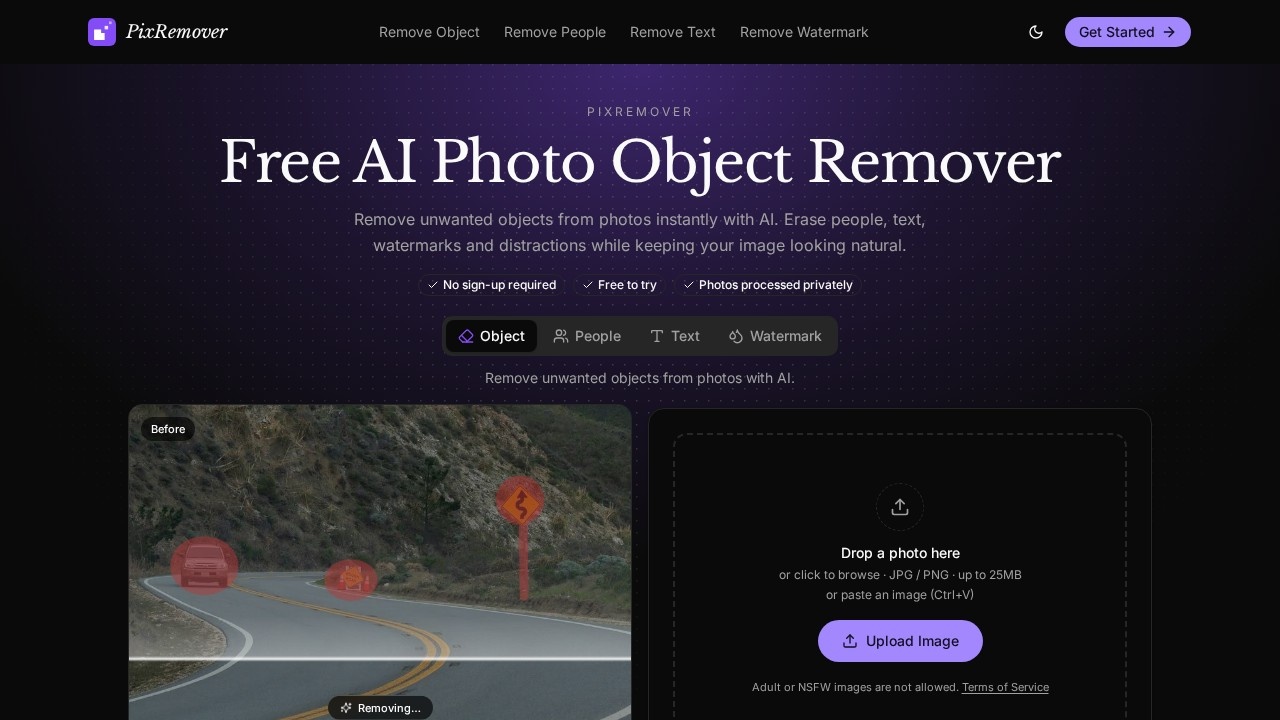
PixRemover is a free AI photo object remover that erases unwanted elements from images in seconds. Users brush over anything they want gone — a stray object, a person in the background, text, or a watermark — and the AI reconstructs the missing area so the photo still looks natural. Everything outside the brushed selection stays exactly as it was. No sign-up is required, and JPG or PNG files up to 25MB are supported.
Application scenarios
Travel photography
Remove tourists, strangers, signs, trash, and other background clutter so the shot focuses on the place you actually wanted to capture.
Product photography
Erase labels, props, and distracting items so the buyer's eye stays on the product itself.
Social media prep
Clear out photobombers, unwanted text, and background noise before posting an image.
Watermark and logo cleanup
Brush away watermarks, logos, and visual marks from images you have the rights to use.
Text removal
Delete captions, labels, and stray words from an image without manually rebuilding the background behind them.
General photo cleanup
Produce distraction-free images while preserving the main subject, without opening a full editing suite.
Core Features
AI object removal
Erase unwanted items, distractions, and signs from a photo; the AI analyzes surrounding pixels and reconstructs the area intelligently rather than cropping or blurring it.
People removal
Take out strangers, crowds, and photobombers while the background is filled in naturally.
Text removal
Delete unwanted text, captions, labels, and words without hand-rebuilding the image behind them.
Watermark removal
Clean watermarks, logos, and visual marks using AI-assisted removal.
Brush-based selection
Paint over exactly what you want removed, which keeps the rest of the image untouched.
Before/after comparison
Drag a slider to inspect real results from the same AI engine across object and people removal examples.
Paste-to-upload
Paste an image directly with Ctrl+V instead of browsing for a file.
Browser-based workflow
Upload, select, and remove in three steps — no Photoshop and no advanced editing skills required.
Target users
PixRemover is built for everyday photos rather than professional retouching pipelines. That makes it a fit for:
- Casual photographers who want a clean travel or family shot without learning a full editor.
- Social media users and content creators cleaning up images before posting.
- Small online sellers and product photographers who need label-and-prop-free product shots quickly.
- Marketers and designers who need fast background fixes without round-tripping through a design team.
- Anyone who needs a one-off object, text, or watermark removed and doesn't want to create an account to do it.
How to use PixRemover?
- Open the site. No sign-up or account creation is required to start.
- Upload your photo. Drop a file into the upload area, click to browse, or paste an image with Ctrl+V. JPG and PNG files up to 25MB are supported.
- Brush over the target. Select the unwanted object, person, text, watermark, or distraction you want gone.
- Let the AI clean up. The tool removes the selected area and reconstructs the missing background automatically.
- Compare and export. Use the before/after slider to check the result, then save your cleaned image.
Note that adult or NSFW images are not allowed, per the site's terms.
Pricing and free trial
PixRemover is free to use and free to try, with no sign-up required to start removing objects from photos. The site does not list paid tiers or credit-based plans — the core object removal workflow is presented as a free tool.
Effect review
PixRemover's pitch is narrow and honest: remove one thing, keep everything else identical. The brush-based selection model is the right choice for that promise, since it limits the AI to the area you mark and leaves the rest of the frame untouched. The reconstruction approach — analyzing pixels around the selection instead of cropping or blurring — is what separates a usable result from an obvious patch, and the site's before/after slider lets you judge that on real examples before uploading your own photo.
The four dedicated modes (objects, people, text, watermarks) map cleanly onto the most common cleanup jobs, and the 25MB JPG/PNG limit covers typical phone and camera output without any conversion work. Where the tool sets expectations correctly is scope: it is a cleanup utility, not a full editor, so users should expect to fix a distraction rather than retouch a portrait.
For typical users — a traveler with a photobombed landmark shot, a seller with a labeled product photo, someone with a stray watermark — the combination of no sign-up, paste-to-upload, and a three-step flow makes this a practical first stop. Test it on one image through the official site to confirm the results hold up for your specific photo.
Frequently Asked Questions
What is PixRemover?
Is PixRemover free to use?
What kinds of objects can I remove with PixRemover?
Do I need photo editing experience to use PixRemover?
How fast are the results?
What is PixRemover best for?
PixRemover - AI Tool Detail
PixRemover is a free AI photo object remover for erasing people, text, watermarks, and other unwanted elements from images in seconds, delivering clean, natural-looking results for quick photo cleanup
Category:Image editing
Visit Link:https://pixremover.com/
Tags:photo editing、object removal、AI photo editor、watermark remover、image cleanup