
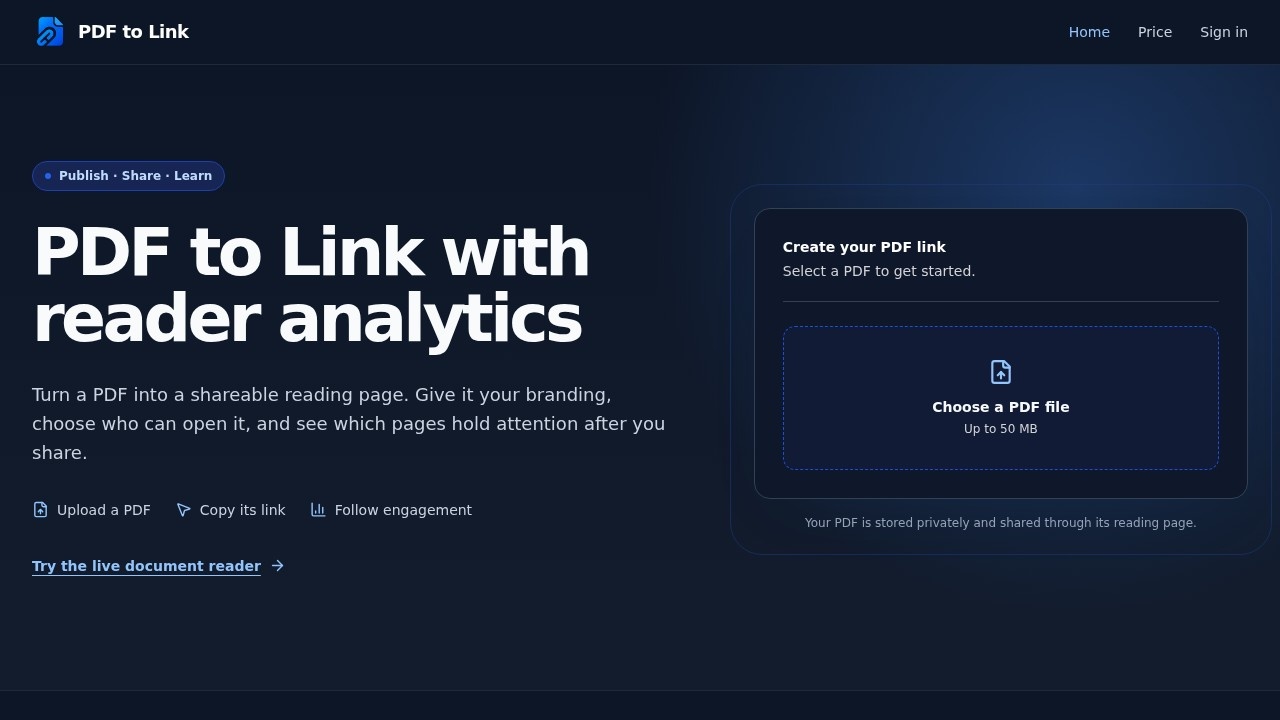
What is PDF to Link?
PDF to Link is a web tool that turns a PDF file into a shareable reading page with its own link and QR code. Upload a document, publish it, and readers open it in a page-turning reader that adapts to desktop, tablet, and mobile screens. On top of sharing, the product adds password protection, custom branding, and per-page engagement analytics. It fits anyone who needs to distribute a PDF and then find out how it was actually read.
Application scenarios
Sales and marketing collateral
share a pitch deck, brochure, or one-pager as a branded reading page with a call-to-action button and social links attached.
Client and stakeholder reporting
send a report link instead of an attachment and track reading sessions, active time, and how far readers got.
Education and training
distribute course materials, handbooks, or syllabi, then check reading depth to see where attention drops off.
Publishing and portfolios
publish a magazine, catalog, or design portfolio with your own logo, favicon, and page background.
Internal documents
password-protect HR policies, contracts, or board packs before the link goes out.
Events and field distribution
show or print a QR code that opens the PDF on a phone in one scan.
Lead generation
monitor CTA clicks and downloads to see which recipients act after reading.
Core Features
PDF upload up to 50 MB
pick a PDF and the tool creates a reading page for it; the file stays privately stored and is shared through that page.
Responsive reader
the same document renders across desktop, tablet, and mobile, with page turning and zoom.
Mobile reading options
a single-page mobile layout keeps reading linear on small screens, and page-turn sound can be switched on.
Password protection
set a password that readers must enter before the document opens.
Custom branding
upload a logo and favicon, choose the page background, and decide where the logo links.
Social links and call-to-action
add links to your social profiles and a CTA button on the reading page; the dashboard counts CTA clicks and downloads.
Link and QR sharing
copy the published link or download its QR code right after uploading.
Engagement analytics
track views, reading sessions, browser identifiers, and average active time that measures visible, focused reading.
Reading depth and page heatmap
see the share of sessions reaching each point in the PDF, then inspect readers and total active time for selected page ranges.
Reader locations and exit pages
country-level location for each session, plus recorded exit pages with missing exit signals reported separately.
Target users
- Marketers and content teams who distribute gated or tracked documents and want click and download numbers.
- Sales and business development teams sending proposals that need a call-to-action and proof of engagement.
- Educators and trainers sharing readings and checking whether students reach the end.
- Publishers, designers, and agencies who care about branded, professional-looking document presentation.
- HR, legal, and operations staff who need password-protected internal distribution.
- Freelancers and small teams who want link and QR sharing without building a document portal.
How to use PDF to Link?
- Choose a PDF: select the file you want to share in the upload tool on the site (up to 50 MB).
- Verify and publish: if needed, confirm your email. The file uploads and a reading page is created.
- Share and manage: copy the link or QR code, then open the dashboard to adjust access, branding, and analytics.
There is no prompt to write and no formatting step—the PDF itself is the content. Everything after publishing happens in the dashboard, where you change access settings and branding and read the engagement reports. Start at the official site to upload your first document.
Effect review
The feature set points to a specific, practical gap: most people share PDFs as attachments and learn nothing about what happened next. PDF to Link closes that loop with page-level heatmaps, reading depth curves, exit pages, and reader locations, wrapped around a reader that adapts to phones as well as desktops. Branding controls—logo, favicon, background, social links, CTA—plus password protection mean the shared page can look like yours and be limited to the right audience. One thing worth knowing: the reporting screens shown on the site use illustrative, fictional numbers, and the demo document (Earth as Art 5, 32 pages, from the U.S. Geological Survey) is what powers the live reader preview. The practical value therefore depends on your own published documents and the data your dashboard collects. If your work involves sending PDFs to clients, students, or prospects and you want evidence of how they were read, this is a sensible, focused tool to test with a single document first.
PDF to Link - AI Tool Detail
PDF to Link is a web tool for turning PDFs into shareable links. It offers a page-turning reader, custom branding with logos and social links, access protection, and per-page engagement analytics—idea
Category:Document processing
Visit Link:https://pdf-to-link.com/