
Panda Office
Panda Office is a creative design platform offering premium downloadable templates for PPT, Word, and Excel, plus video clips, fonts, audio, and design elements for comprehensive office and creative p
What is Panda Office?
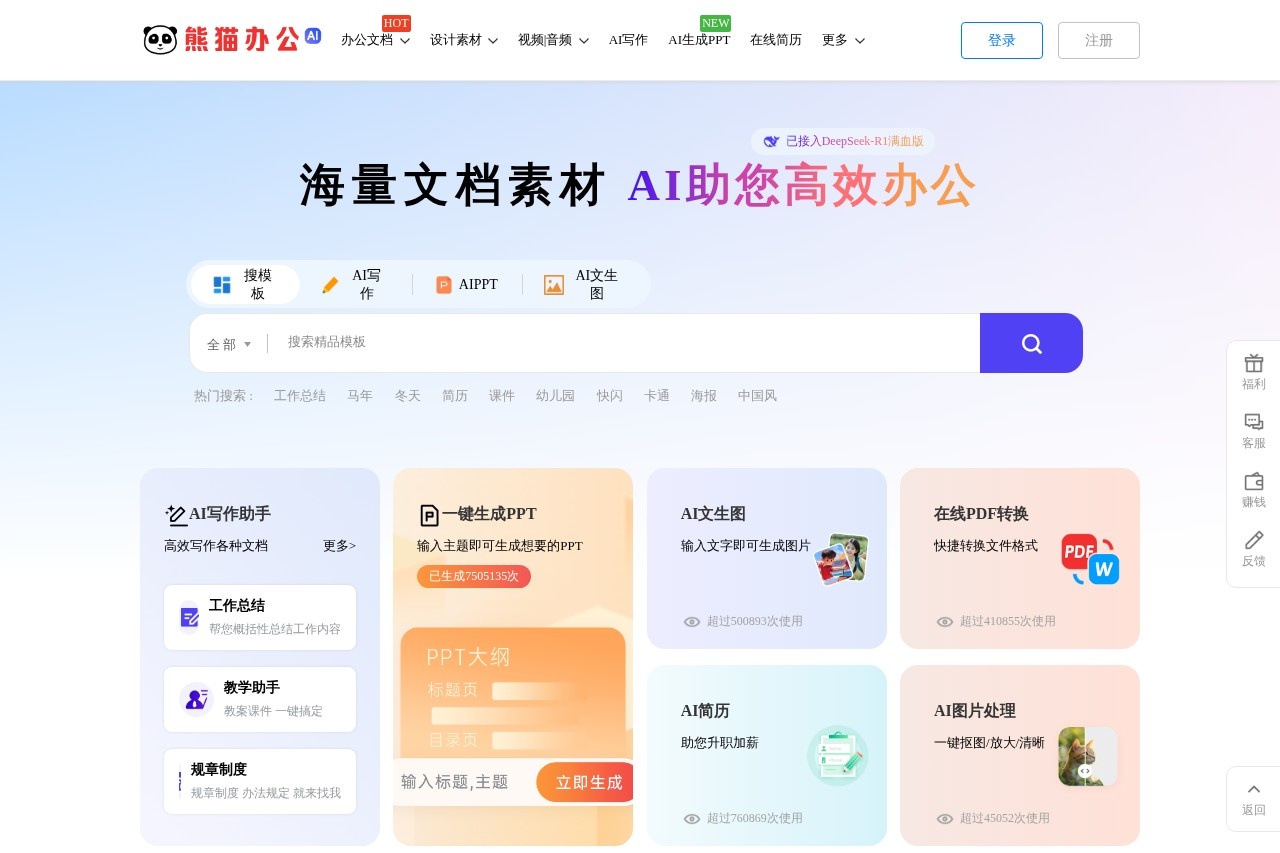
Panda Office is a comprehensive creative design and office productivity platform. It provides a vast library of downloadable templates for PowerPoint, Word, and Excel, alongside video clips, fonts, audio, and design elements. The platform integrates AI tools to assist with writing, presentation creation, and image generation. Users visit to source professional templates and use AI assistants to streamline document creation and design tasks.Application scenarios
Document Creation
Writing official documents like work summaries, teaching plans, regulations, and rental contracts.
Presentation Design
Creating professional PPTs for business, education, competitions, or self-introductions.
Marketing & Event Production
Designing promotional materials, advertisements, and video templates for events like annual meetings, weddings, or company promotions.
Academic & Educational Work
Preparing teaching materials, lesson plans, courseware, and hand-copy newspaper layouts.
Job Seeking & HR
Crafting resumes and managing HR documents like attendance, payroll, and recruitment materials.
Personal & Business Administration
Handling routine office tasks with templates for schedules, inventory management, quotation sheets, and forms.
Multimedia Projects
Finding background music, sound effects, and stock photography or illustrations for videos and designs.
Core Features
AI Writing Assistant
Generates various documents, including work summaries, teaching materials, and legal contracts.
AI PPT Generation
Creates PowerPoint presentations automatically based on an input theme.
AI Text-to-Image
Generates images from descriptive text prompts.
AI Resume Builder
Assists in creating resumes to aid career advancement.
Online PDF Conversion
Quickly converts files to and from PDF format.
AI Image Processing
Offers one-click functions for tasks like background removal, image upscaling, and enhancement.
Massive Template Library
Offers a searchable database of premium, modifiable templates for PPT, Word, Excel, videos, and advertising designs.
Rich Media Assets
Provides downloadable video templates (AE/PR), background music, sound effects, fonts, illustrations, and transparent PNG elements.
DeepSeek-R1 Integration
Utilizes a specific, full-capacity AI model ("满血版") to power its document and creative assistance features.
Professional Customer Support
Offers dedicated客服 with stated online service hours for user assistance.
Target users
This platform serves a wide range of users who need to create documents, presentations, or marketing materials efficiently. Key beneficiaries include office administrators, HR professionals, teachers and educators, marketing and design teams, students, job seekers, and small business owners managing their own promotional content.How to use Panda Office?
- Visit the official website.
- Register for an account using your mobile phone number, QQ, or WeChat, agreeing to the user agreement.
- Browse or search the extensive template and asset libraries by category (e.g., PPT, Word, video).
- For AI features, navigate to tools like "AI写作" (AI Writing), "AIPPT," or "AI文生图" (Text-to-Image), input your theme or prompt, and generate content.
- Download the selected templates or AI-generated outputs for use.
Effect Review
The platform emphasizes practical utility and efficiency, highlighting template quality and daily updates of premium content. The integration of a specific, high-capacity AI model (DeepSeek-R1) suggests a focus on robust AI-assisted creation. High usage counters for features like AI PPT generation (over 7.5 million times) and text-to-image (over 500,000 times) indicate significant user adoption for core automated tasks. For typical users, Panda Office positions itself as a one-stop hub that combines a traditional digital asset marketplace with modern generative AI tools to tackle a broad spectrum of office and creative workloads.Frequently Asked Questions
What is Panda Office?
What types of templates does Panda Office offer?
Is Panda Office free to use?
Who can benefit from using Panda Office?
How do I download templates from Panda Office?
Does Panda Office support custom design requests?
Panda Office - AI Tool Detail
Panda Office is a creative design platform offering premium downloadable templates for PPT, Word, and Excel, plus video clips, fonts, audio, and design elements for comprehensive office and creative p
Category:PPT generation
Visit Link:https://tukuppt.com/
Tags:office templates、creative design、PPT templates、Word templates、Excel templates