
Docsalot
Docsalot by Docsalot enables developers to automate documentation workflows via a CLI and skill, integrating with coding agents like Claude or Codex to generate, update, and manage project docs effici
What is Docsalot?
Docsalot is a developer tool that automates documentation workflows through a CLI and a companion skill for coding agents. It integrates with agents like Claude Code and Codex, letting you generate, update, and manage project documentation using natural-language prompts. The core philosophy is agent-first: you install the CLI and skill, then let your coding agent drive the entire documentation lifecycle—from creation to publishing. Manual CLI knowledge stays optional, reserved for troubleshooting or custom scripting.
Application scenarios
New documentation setup
Ask your agent to create a fresh set of documentation and run a local preview.
Publishing to remote
Push documentation to a remote location and publish it for your team or users.
Migration from existing docs
Convert existing documentation at a specified path into the Docsalot framework and preview locally.
Auto-generated docs from code
Have the agent inspect your source code changes and create relevant documentation.
Custom domain configuration
Point documentation to your own domain, get the required DNS record, and verify it once DNS is ready.
Docs reorganization
Pull current documentation, reorganize navigation, and update layout.json.
API reference generation
Add API reference pages from an OpenAPI spec and preview the result.
PR-based updates
Update documentation based on changes in a pull request.
CI/CD automation
Set up GitHub auto-publish for a docs folder or publish the latest approved version.
Core Features
Agent-first onboarding
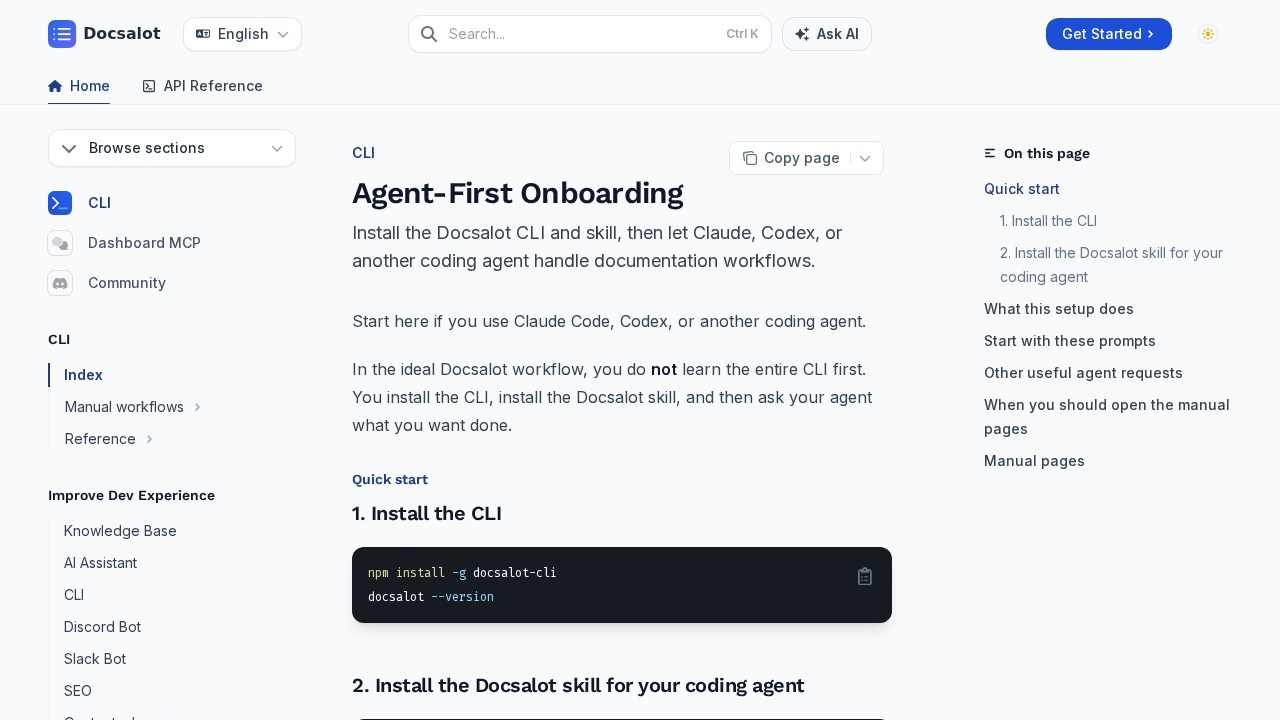
Install the CLI globally with `npm install -g docsalot-cli`, then run `docsalot skills install` to set up the skill for your detected coding agent.
Natural-language command execution
Your agent selects the right Docsalot commands for create, pull, preview, push, publish, and migration flows—no manual CLI memorization required.
Interactive authentication handling
The agent prompts you only when needed, such as for browser login, authentication confirmation, or choosing a documentation ID.
Local preview
Run documentation previews locally to review changes before pushing or publishing.
Migration workflow
Move existing documentation into the Docsalot framework with a single agent-driven command.
Custom domain support
Configure documentation to use your own domain, receive the DNS record to add, and verify it when ready.
OpenAPI integration
Generate API reference pages directly from an OpenAPI specification.
GitHub auto-publish
Set up automated publishing for a docs folder, ensuring approved versions go live without manual steps.
Manual CLI access
For users who prefer control, manual pages cover install, auth, creation, maintenance, update, publish, and troubleshooting.
Target users
Docsalot is built for developers and technical teams who already work with coding agents like Claude Code or Codex. It suits individual developers who want to offload documentation chores, as well as teams that need consistent, automated docs across projects. DevOps engineers and technical writers who script CI/CD pipelines will also benefit from the manual CLI commands for automation. Essentially, anyone who maintains project documentation and wants to reduce repetitive manual work will find value here.
How to use Docsalot?
- Install the CLI globally:
npm install -g docsalot-cli. - Verify the installation with
docsalot --version. - Install the Docsalot skill for your coding agent:
docsalot skills install. - Start prompting your agent with requests like "use docsalot cli to create a new set of documentation and run a preview" or "use docsalot cli to push this documentation to remote and publish."
- When the agent needs authentication, a browser login, or a documentation ID, it will ask you at the right time.
- For deeper control, open the manual pages to understand exact commands, script CI automation, or troubleshoot issues.
Effect review
Docsalot takes a genuinely practical approach to documentation by shifting the workload from the developer to the coding agent. The agent-first design means you don't need to learn a new CLI syntax—you just describe what you want in plain language. The breadth of supported workflows, from migration to OpenAPI reference generation to custom domain setup, covers most real-world documentation needs. The interactive authentication model is sensible: the agent handles the heavy lifting but steps back when human input is required. For teams already using Claude Code or Codex, this tool could meaningfully reduce the friction of keeping docs current. The main caveat is that its usefulness depends on your comfort with agent-driven workflows; if you prefer full manual control, the CLI still offers that path, but the value proposition clearly leans on the agent integration.
Frequently Asked Questions
What is Docsalot?
How does Docsalot integrate with coding agents?
What are the main features of Docsalot?
Is Docsalot compatible with any programming language or framework?
Can Docsalot be used in CI/CD pipelines?
How do I get started with Docsalot?
Docsalot - AI Tool Detail
Docsalot by Docsalot enables developers to automate documentation workflows via a CLI and skill, integrating with coding agents like Claude or Codex to generate, update, and manage project docs effici
Category:Programming Assistant
Visit Link:https://docs.docsalot.dev/cli/index
Tags:documentation automation、CLI tool、developer tools、AI coding agents、workflow automation