
AutoSSL
AutoSSL by ssl.cc automates SSL certificate issuance, renewal, and management across all domains, powered by Let’s Encrypt for seamless HTTPS security.
What is AutoSSL?
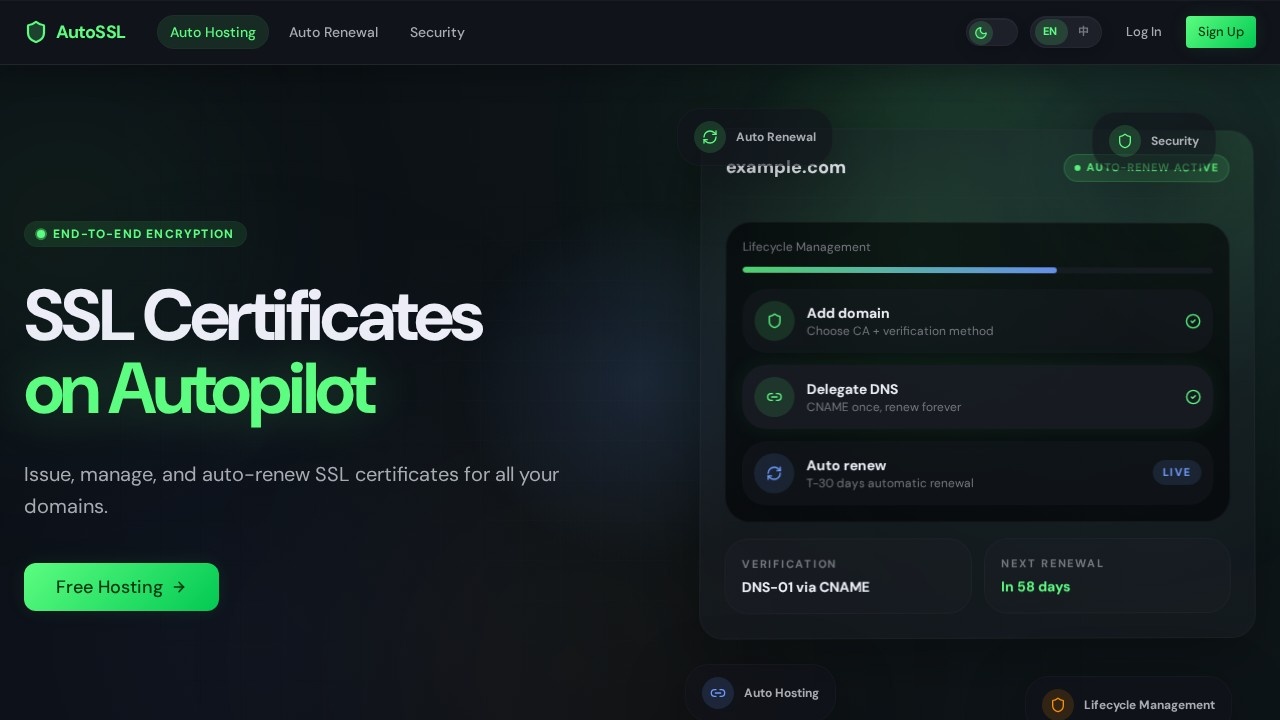
AutoSSL by ssl.cc is a unified platform that automates SSL certificate issuance, renewal, and management across all your domains. It is powered by Let’s Encrypt, enabling seamless HTTPS security without manual intervention. Users can onboard domains, verify ownership, issue certificates, and track lifecycle status from a single console. The system handles renewals automatically within the expiry window, with clear status feedback to catch issues early.Application scenarios
Web hosting management
Streamline SSL certificate workflows for multiple domains in one dashboard.
DevOps and IT operations
Automate certificate lifecycle for internal and external services, reducing manual renewal tasks.
E-commerce security
Keep customer-facing HTTPS certificates always valid without downtime.
SaaS platforms
Manage SSL for client domains or subdomains through a centralized console.
Agency or reseller operations
Handle certificate issuance and renewal for dozens of client websites from a single account.
Compliance and audit
Maintain traceable operation history and encrypted storage for sensitive certificate data.
Core Features
Unified console
Bring domain onboarding, verification, issuance, visibility, and downloads into a single interface to reduce fragmented operations.
Auto renewal
The system automatically advances renewals within the expiry window and provides clear status feedback to identify and handle issues in time.
Encrypted certificate storage
Only the data required for hosting is processed, with protective storage and access controls applied to sensitive materials.
Hidden private keys
Private keys and credentials stay hidden by default, enhancing security for hosted certificates.
One-time CNAME setup
After initial domain verification, the same CNAME record continues supporting later renewals and ongoing certificate management.
Guided domain onboarding
Follow a step-by-step flow to add domains, copy the CNAME record, and move directly into verification and issuance.
Dashboard visibility
Track certificate status, expiry reminders, and operation history from a single view.
Free certificate downloads
Issuance, renewal, visibility, and certificate downloads are available without purchasing a plan.
Target users
IT administrators, DevOps engineers, web hosting providers, and security-conscious teams who manage multiple domains. The platform is designed for anyone who wants to eliminate manual SSL renewal and keep HTTPS certificates always valid across all their sites.How to use AutoSSL?
- Create an account on ssl.cc.
- Follow the guided domain onboarding flow to add your domains.
- Copy the provided CNAME record and add it to your DNS configuration.
- Verification and certificate issuance happen automatically after DNS propagation.
- Use the dashboard to track status, download certificates, and monitor renewals.
- After the first verification, the same setup continues supporting future renewals automatically.
Pricing and free trial
Free Access: Issuance, renewal, visibility, and certificate downloads are all available right now without purchasing a plan. The service is currently in beta, offering free access to all features.Effect review
AutoSSL delivers exactly what it promises: a frictionless, automated SSL lifecycle management system. The unified console eliminates the common pain of juggling multiple certificate providers and manual renewal calendars. The one-time CNAME setup is a practical touch—once verified, renewals keep working without repeated DNS changes. For teams managing even a handful of domains, the automatic renewal with visible status feedback alone is worth adopting. The free access during beta makes it risk-free to test, and the encrypted storage and hidden private keys add genuine security confidence. If you’re tired of expired certificate alerts, this tool is a straightforward fix.Frequently Asked Questions
What is AutoSSL?
Is AutoSSL free to use?
How does AutoSSL handle certificate renewal?
Can AutoSSL manage certificates for multiple domains?
Does AutoSSL support wildcard certificates?
What happens if AutoSSL fails to renew a certificate?
AutoSSL - AI Tool Detail
AutoSSL by ssl.cc automates SSL certificate issuance, renewal, and management across all domains, powered by Let’s Encrypt for seamless HTTPS security.
Category:API services
Visit Link:https://www.ssl.cc/
Tags:SSL automation、certificate management、Let's Encrypt、HTTPS security、domain management