
AI CAD Copilot
AI-powered design assistant by Adam for CAD modeling, offering real-time suggestions, automation, and intelligent collaboration to streamline engineering workflows.
What is AI CAD Copilot?
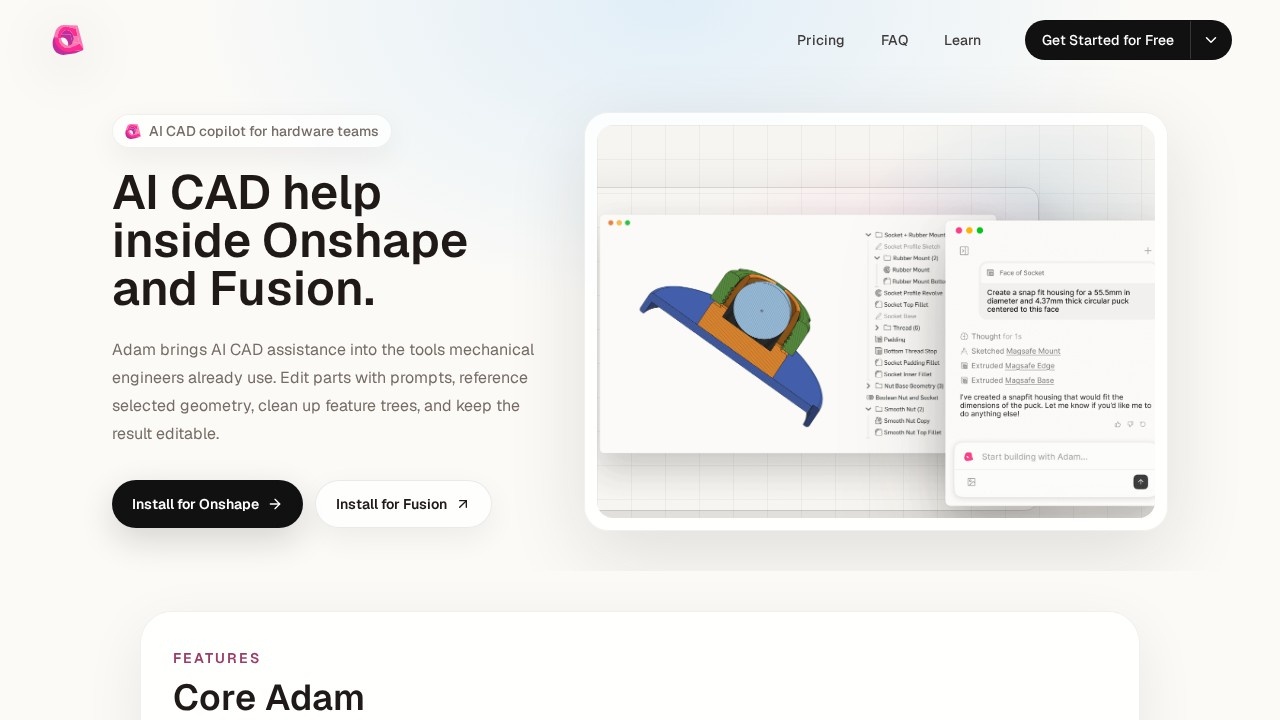
AI CAD Copilot is an AI-powered design assistant from Adam that integrates directly into Onshape and Autodesk Fusion. It helps mechanical engineers edit parts using text prompts, reference selected geometry, clean up feature trees, and keep models editable. The tool is built for real CAD workflows—not generic 3D generation—so it understands design intent and feature-tree structure. Users can make engineering changes faster by replacing granular clicks with a single command.Application scenarios
Prompt-driven part editing
Replace multiple manual clicks with a single text prompt to modify CAD parts.
Selection-aware commands
Use selected geometry context to create new features from high-level instructions.
Feature tree optimization
Automatically find and merge duplicate features to make the model tree more robust.
Parametric model cleanup
Convert ad-hoc models by setting distinct variables that cascade throughout the design.
Real-time CAD assistance
Get AI help inside Onshape or Fusion without leaving the design environment.
Core Features
Part editing
Edit parts by typing a prompt instead of clicking through menus.
Selection context
Take a high-level command and automatically apply it to the selected geometry in your CAD model.
Feature tree optimization
Detect duplicate features and merge them to strengthen the model tree.
Parametrization
Convert unstructured models by defining variables that propagate across the design.
Onshape integration
Install a dedicated extension to use Adam directly within Onshape.
Fusion integration
Install a dedicated extension to use Adam directly within Autodesk Fusion.
Editable results
Keep all model changes fully editable after AI assistance.
Target users
- Hardware teams building physical products
- Mechanical engineers working in Onshape or Autodesk Fusion
- Founders prototyping new designs
- Creators who need CAD assistance connected to real design tools
How to use AI CAD Copilot?
- Install the Adam extension for Onshape or Autodesk Fusion from the official website.
- Open your CAD model in the supported design environment.
- Select geometry or a feature tree as context for your command.
- Type a prompt describing the change you want (e.g., "add a fillet to this edge").
- Review the AI-generated edit and continue working with the fully parametrized result.
Pricing and free trial
No pricing or free trial information is provided on the website.Effect review
AI CAD Copilot focuses on practical, engineering-grade CAD assistance rather than flashy 3D generation. The feature set—prompt-driven edits, selection-aware commands, feature tree optimization, and parametrization—directly addresses common pain points in mechanical design workflows. By integrating inside Onshape and Fusion, it avoids the friction of switching tools. For hardware teams and mechanical engineers already using these platforms, this copilot offers a clear path to faster, cleaner model editing. The lack of pricing details or user testimonials leaves some unknowns, but the core capabilities are well-defined and relevant.Frequently Asked Questions
What is AI CAD Copilot?
How does AI CAD Copilot enhance CAD modeling?
Which CAD software does AI CAD Copilot integrate with?
Is AI CAD Copilot suitable for beginners?
Does AI CAD Copilot require an internet connection?
How can I get started with AI CAD Copilot?
AI CAD Copilot - AI Tool Detail
AI-powered design assistant by Adam for CAD modeling, offering real-time suggestions, automation, and intelligent collaboration to streamline engineering workflows.
Category:Automation
Visit Link:https://adam.new/copilot
Tags:AI CAD Copilot、CAD modeling、engineering automation、design assistant、intelligent collaboration