
What is Video2JPG?
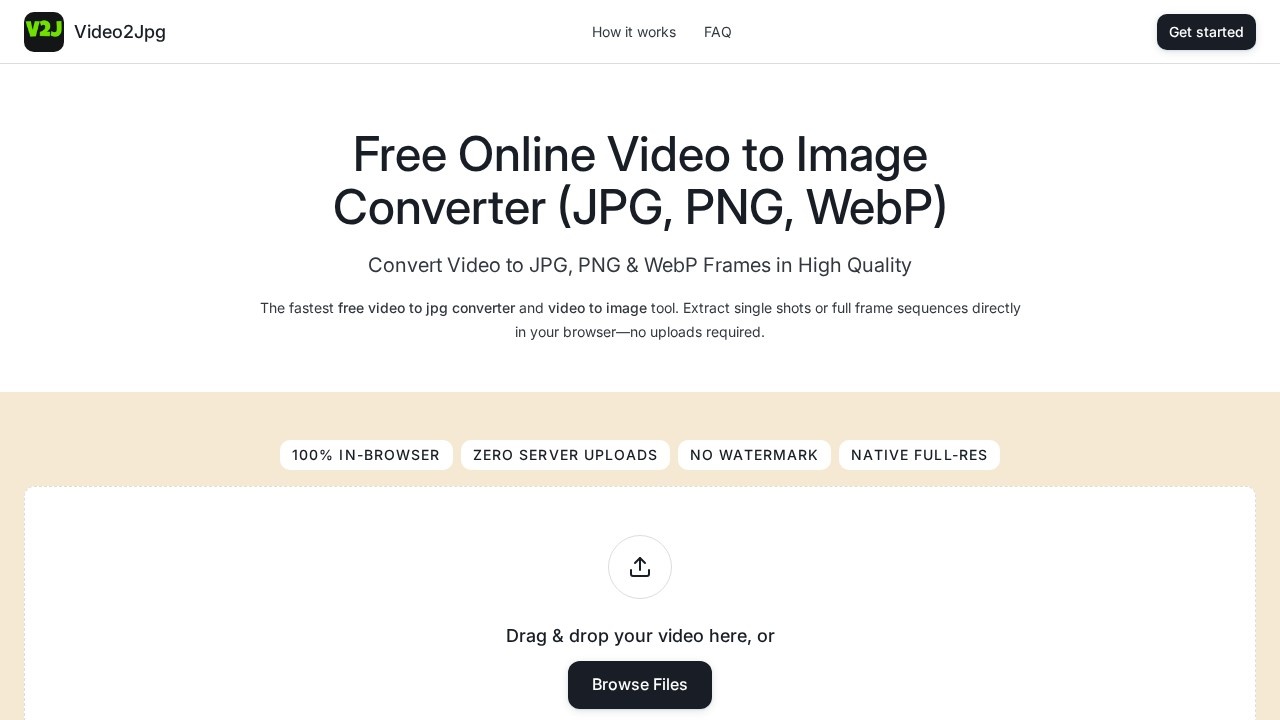
Video2JPG is a free, browser-based converter that turns video files into still images in JPG, PNG, or WebP format. Drop in a clip, pick an output format, and export a single frame or a full image sequence without uploading anything to a server. All processing runs locally on your device using your browser's own resources. It supports MP4, WebM, MOV, AVI, and MKV files, with no stated file-size limit and no watermark on exports. People use it to grab thumbnails, build frame sequences for editing work, and produce web-ready images from video footage.
Application scenarios
Thumbnail creation
Pull a clean, high-resolution still from a video to use as a YouTube or blog thumbnail.
VFX and compositing
Export lossless PNG frames for rotoscoping, keying, or matching footage inside a compositor.
Animation reference
Extract a frame sequence to study motion timing frame by frame.
Web performance work
Convert video content into WebP images or animated frame assets to speed up page loading.
Social media and marketing
Capture product shots or highlight moments from a promo clip for posts and ads.
Mobile publishing
Grab frames from a phone's Photo Library in Safari or Chrome and save them straight to the camera roll.
Archiving
Store lightweight JPG snapshots from long recordings as a searchable visual index.
Core Features
In-browser processing
Everything runs client-side, so your video never leaves your machine and nothing is uploaded to external servers.
JPG extraction
Convert video to JPG with customizable compression for lightweight, sharp snapshots suited to sharing and archiving.
PNG sequence export
Produce lossless PNG frames with no compression artifacts for pixel-perfect VFX and animation work.
WebP conversion
Generate WebP stills or animated frame assets for modern web graphic pipelines.
Single-frame capture
Seek to any timestamp and download one high-resolution still.
Bulk extraction by interval
Set a frame interval to automatically pull a whole sequence in one pass.
ZIP packaging
Download an entire extracted frame sequence as a single .ZIP archive.
Drag-and-drop input
Drop a video onto the converter box or browse files from your device.
Wide format support
Handles MP4, WebM, MOV, AVI, and MKV input.
No watermark
Exported frames come out clean at full native resolution.
Target users
- Video editors and colorists who need reference stills or frame sequences for a timeline.
- VFX and motion artists working with rotoscoping, masking, and compositing pipelines.
- Animators and students studying motion timing frame by frame.
- Content creators and marketers producing thumbnails, social assets, and promo stills.
- Web developers and designers converting footage into WebP assets for faster pages.
- Privacy-conscious users who don't want footage uploaded to a third-party server.
- Mobile users capturing frames on iPhone or Android without installing an app.
How to use Video2JPG?
- Open the Video2JPG site in your browser and drag your video into the converter box, or click Browse Files to pick a clip from your device.
- Choose your output format: JPG, PNG, or WebP.
- Either seek to a specific timestamp for a single still, or set a frame interval to extract a batch of frames.
- Click Extract if you're generating a sequence.
- Download individual high-resolution images, or grab the whole sequence as a .ZIP archive.
No account or sign-up is needed to start converting.
Pricing and free trial
Video2JPG is a 100% free tool. The site states there is no cost to convert video to JPG, PNG, or WebP, and no paid tier is mentioned. Exports carry no watermark, and no file-size limit is stated for input videos.
Effect review
The feature set here is narrow but genuinely useful, and the browser-only architecture is the standout detail. Because processing stays on the local machine, users get two benefits at once: privacy for sensitive footage and no upload wait for large files. The format trio covers the practical range well—JPG for lightweight output, PNG when lossless frames matter, and WebP for modern web work. Batch extraction with interval capture plus ZIP download is the feature that makes this viable for animation and VFX work rather than just quick thumbnail grabs. Mobile support in Safari and Chrome means the same workflow works from a phone's photo library without an app install. For anyone who regularly needs stills from footage, it's a fast, no-cost option worth keeping bookmarked.
Video2JPG - AI Tool Detail
Video2JPG es una herramienta gratuita que funciona en el navegador y convierte videos en imágenes JPG, secuencias PNG o WebP. Extrae fotogramas de alta calidad sin subir archivos a servidores, por lo que el procesamiento es rápido y privado.
Category:Edición de vídeo
Visit Link:https://video2jpg.com/