What is Tier List Maker?
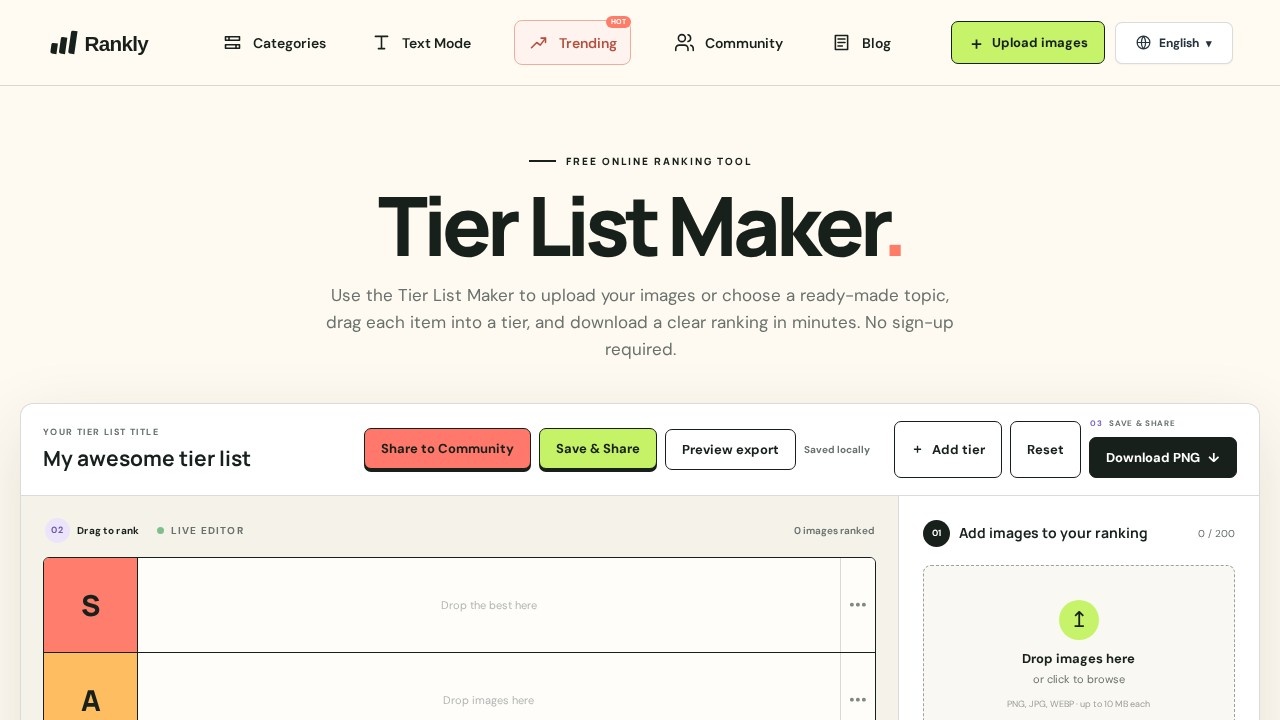
Tier List Maker is a free browser-based ranking tool that turns any set of items into a classic S-through-D tier list. You upload your own images or open a ready-made template, drag each item into the tier where it belongs, and export the finished ranking as a PNG. No account, no download, no setup — the whole workflow runs in the editor. It works for ranking game characters, movies, fast food chains, fruit by nutrition, and anything else you can put in a grid.
Application scenarios
Game character ranking
Build a personal tier list for Pokémon, Genshin Impact, Honkai: Star Rail, Zenless Zone Zero, League of Legends, Marvel Rivals, Apex Legends, Brawl Stars, DELTARUNE, Uma Musume, or Wuthering Waves using the built-in starter libraries.
Tier lists by role or class
Filter agents by faction, champions by role, or legends by class before placing them, so rankings reflect how you actually play.
Movie and franchise debates
Rank DC movies across every era of the cinematic universe with a 27-poster starter set.
Food and lifestyle comparisons
Rank 42 fast food chains by taste, value, or consistency, or compare 56 fruits using nutrition signals.
Custom topics
Upload your own images and add your own tiers to rank anything the templates don't cover — coworkers, albums, tools, anything.
Content creation
Produce a clean PNG to drop into a YouTube video, stream overlay, blog post, or social feed.
Group discussion and classrooms
Settle arguments or run a ranking activity where a visual, shareable result matters more than a written verdict.
Core Features
Template library
Start from a ready-made editor with a curated image set instead of building a list from scratch — Pokémon ships with all 1,025 entries plus generation, type, and category filters.
Drag-to-rank editor
Move each item into the S, A, B, C, or D row and see the board update live as you work.
Custom image upload
Bring your own images when no template fits and rank them on the same tier grid.
Editable tier structure
Add tiers and reset the board so one editor handles both quick rankings and more granular scales.
Custom titles
Name the tier list so the exported image carries its own context.
PNG export
Download the finished ranking as a clear PNG, or use Save & Share to hand it off.
Filter and search libraries
Narrow large rosters — 191 League champions, 95 HSR characters, 62 ZZZ agents, 106 Brawl Stars brawlers — before you start placing.
Format-specific templates
Pokémon GO and Pokémon Showdown starters cover raids, gyms, all-purpose picks, and Great/Ultra/Master League PvP.
Character and boss switching
Deltarune lets you flip between characters, bosses, secret bosses, and chapter sets inside one editor.
Nutrition-based comparison
The fruit template sorts by nutrition signals rather than vibes, then hands the final call to you.
Target users
Gamers who argue about rosters, and anyone who needs a fast visual ranking. That includes content creators building thumbnails and video segments, streamers running community votes, teachers using ranking exercises in class, and friends settling a debate over movies or fast food. Because nothing requires an account, it also suits one-off users who want a result in five minutes and will never come back — no onboarding, no email, no friction.
How to use Tier List Maker?
- Open tierlistmaker.pro in any browser.
- Either pick a trending template from the homepage or start a blank board and upload your own images.
- Add a title and adjust the tiers if the default S–D scale doesn't fit your topic.
- Drag each item into the tier you think it deserves — the live editor updates the ranked count as you go.
- Use Save & Share or Download PNG to export the finished list.
Reset clears the board if you want to start over.
Pricing and free trial
Tier List Maker is free to use, and no sign-up is required. The site markets itself as a free online ranking tool, and individual templates are labeled free as well. There is no trial clock to monitor because there is nothing to subscribe to — you open the editor, build the list, and download the PNG.
Effect review
The feature set points to a tool that optimizes for speed over depth. Template libraries with real filters — generation and type for Pokémon, role for League champions, faction for ZZZ agents — remove the most tedious part of ranking a large roster, and the drag-and-drop board keeps the actual judgment calls in your hands. Exporting straight to PNG means the output is ready for a video, a post, or a group chat without extra editing. The tradeoff is that it's a ranking canvas, not an analytics engine: it gives you structure, images, and a clean export, and nothing more. For a free browser tool with no login wall, that's the right scope. If you need a tier list made in minutes and shared immediately, this does the job without asking anything in return.
Frequently Asked Questions
Tier List Maker 是什麼?
Tier List Maker 免費嗎?
需要註冊或登入帳號嗎?
Tier List 要怎麼製作?
可以用自己的圖片,還是只能套用範本?
完成後要怎麼儲存或分享?
Tier List Maker - AI Tool Detail
Tier List Maker is a free browser-based tool for creating tier lists: upload images or pick a template, drag items into S–D tiers, and download a shareable PNG without signing up.
Category:平面設計
Visit Link:https://tierlistmaker.pro/