
SJinn
AI agent by SJinn for generating images, videos, audio, and 3D content. Users describe their vision, and the tool produces complex multimedia outputs.
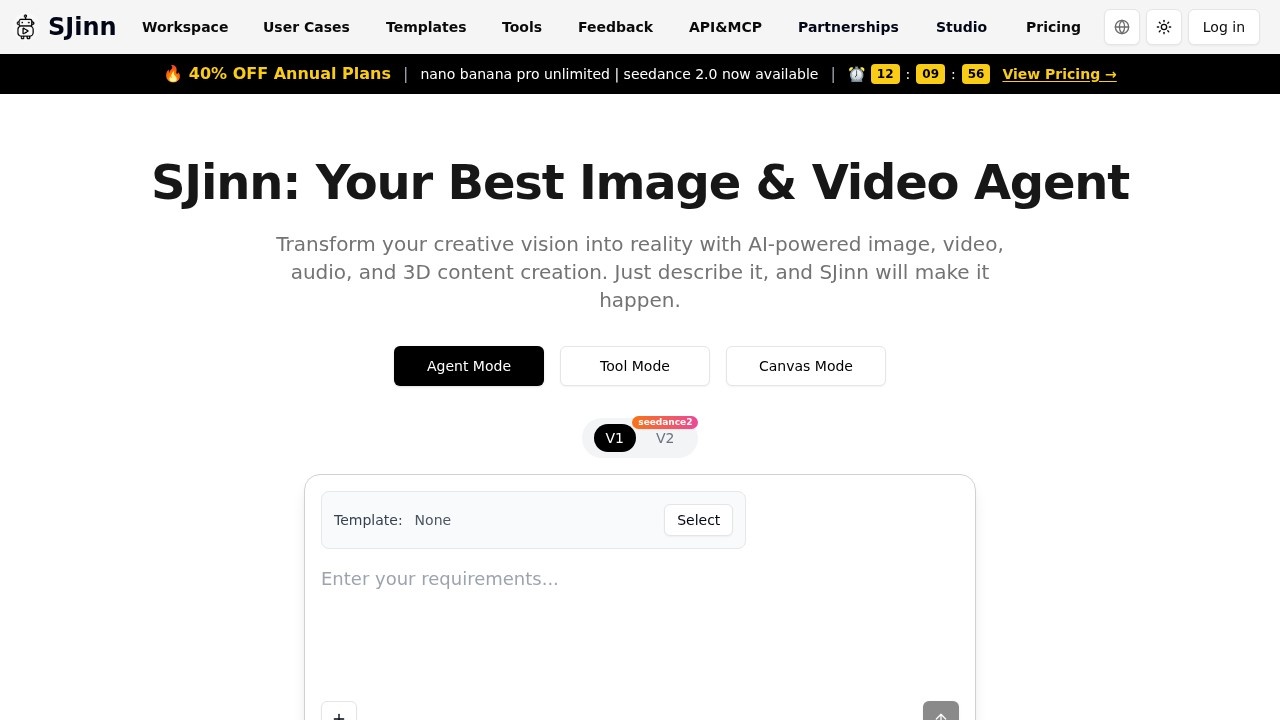
What is SJinn?
SJinn is an AI-powered creative agent that generates images, videos, audio, and 3D content from a simple text description. Users describe their vision, and SJinn produces complex multimedia outputs without manual editing. It offers three distinct modes—Agent Mode, Tool Mode, and Canvas Mode—to adapt to different creative workflows. The platform supports seedance 2.0 for advanced motion generation.Application scenarios
Image generation
Create custom visuals from text prompts for marketing, social media, or concept art.
Video production
Generate video content using seedance 2.0 for dynamic motion sequences.
Audio creation
Produce soundtracks or voiceovers directly from descriptive text.
3D content design
Build 3D models and scenes for games, architecture, or product visualization.
Creative brainstorming
Quickly iterate on visual ideas in Canvas Mode for rapid prototyping.
Enterprise team collaboration
Manage projects and assets with team plans for larger productions.
Core Features
Agent Mode
SJinn acts as an autonomous creative assistant, handling complex multi-step tasks from a single description.
Tool Mode
Direct access to individual generation tools (image, video, audio, 3D) for precise control.
Canvas Mode
A visual workspace for composing and layering multiple AI-generated elements.
seedance 2.0
Advanced video generation engine for smoother, more coherent motion sequences.
Template system
Use pre-built templates to speed up common content creation workflows.
V1/V2 model selection
Choose between different model versions for varied output styles or quality.
Project privacy
All projects created in SJinn remain private by default.
Enterprise team plans
Support for team-level collaboration and asset management.
Target users
Creative professionals, content creators, marketing teams, and enterprise studios who need to produce high-quality multimedia content quickly. The platform is designed for anyone from solo designers to large creative teams.How to use SJinn?
- Visit the SJinn website (sjinn.ai) and click "Go To Workspace."
- Select your preferred mode: Agent, Tool, or Canvas.
- Describe your creative vision in natural language (e.g., "a futuristic city at sunset with flying cars").
- Choose model version (V1/V2) and enable seedance 2.0 for video content.
- Optionally apply a template for faster results.
- Review the generated output and refine with additional prompts if needed.
- Export your final image, video, audio, or 3D asset.
Pricing and free trial
SJinn offers annual plans with a 40% discount (indicated by "🔥 40% OFF Annual Plans"). The site lists plan tiers as "nano," "banana," "pro," and "unlimited," but no specific prices or free trial details are provided in the text.Effect review
SJinn positions itself as a versatile all-in-one creative agent, covering image, video, audio, and 3D generation from a single interface. The inclusion of seedance 2.0 and multiple modes suggests it prioritizes both automation and granular control. For users who need to rapidly produce varied multimedia assets without switching between tools, SJinn offers a streamlined workflow. The emphasis on privacy and enterprise team plans indicates it's built for professional use, not just casual experimentation. However, without user testimonials or quality benchmarks in the provided text, the actual output quality remains unverified.Frequently Asked Questions
What types of content can SJinn generate?
How do I use SJinn to create content?
Is SJinn suitable for beginners?
Can I customize the output from SJinn?
What formats does SJinn support for output?
Is there a cost to use SJinn?
SJinn - AI Tool Detail
AI agent by SJinn for generating images, videos, audio, and 3D content. Users describe their vision, and the tool produces complex multimedia outputs.
Category:Image generation
Visit Link:https://sjinn.ai/
Tags:AI image generation、AI video creation、AI audio production、3D content generation、multimedia AI