
What is Paseo?
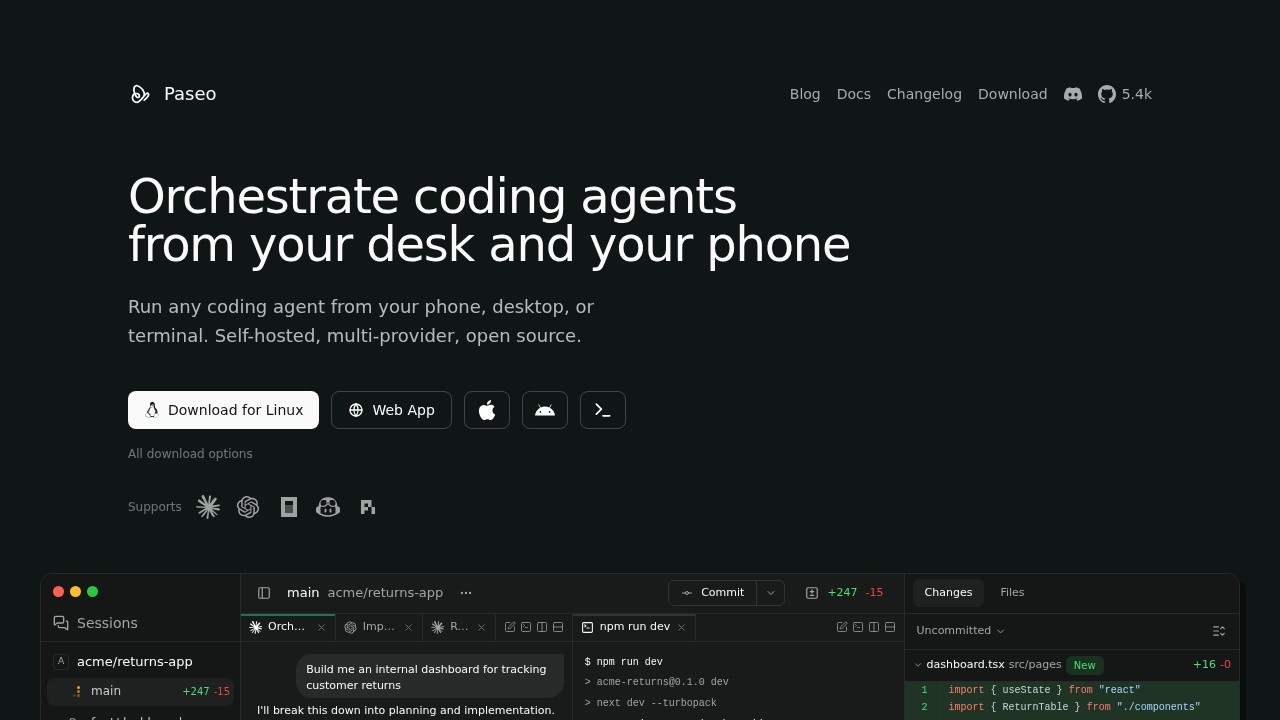
Paseo is a self-hosted daemon that lets you run multiple AI coding agents—like Claude Code, Codex, and OpenCode—from a single interface. Agents run on your machine with your full development environment, skills, config, and MCP servers intact. You can control these agents from any device: desktop, web, mobile, or CLI. It’s free and open source, designed for developers who want to keep their code local while accessing agents remotely.
Application scenarios
Multi-agent development
Run Claude Code, Codex, and OpenCode in parallel on different branches without port conflicts.
Remote agent control
Start and manage agents on a laptop, VM, or dev server from your phone or another desktop.
Voice-driven coding
Use fully local speech-to-text and text-to-speech to interact with agents hands-free.
Automated scripting
Execute agent tasks from the terminal, including loops and scheduled runs.
Secure remote access
Connect via an end-to-end encrypted relay or direct local network connection.
Branch-based previews
Each agent gets a URL based on the branch name, making it easy to preview dev servers running in parallel.
Core Features
Multi-provider support
Run Claude Code, Codex, OpenCode, and over 30 other agents from one interface, each using its native CLI harness.
Cross-device access
Control agents from desktop, web, mobile, or CLI, whether connected directly or through an E2E encrypted relay.
Branch-based URL routing
Each agent’s dev server gets a unique URL like `web.fix-auth.my-app.localhost`, eliminating port conflicts.
Keyboard-first navigation
Every action has a shortcut—switch panels (⌘1-9), split views (⌘D), close panels (⌘W), and open new agents (⌘N).
Local voice stack
Speech-to-text and text-to-speech run entirely on your machine; nothing leaves your network unless you configure OpenAI providers.
Fully scriptable CLI
Run agents, loops, and schedules from the terminal—e.g., `paseo run "implement user authentication"` or `paseo attach abc123` to stream live output.
Headless operation
Run the daemon without a desktop app using `npm install -g @getpaseo/cli && paseo`, then connect via CLI, web, or mobile.
Target users
This tool is built for developers and engineering teams who work with AI coding agents like Claude Code, Codex, or OpenCode. It’s ideal for anyone who needs to run multiple agents in parallel, access them remotely, or integrate agent workflows into terminal scripts. DevOps engineers, full-stack developers, and teams using agent-based development will find it particularly useful.
How to use Paseo?
You can start by installing the CLI globally: npm install -g @getpaseo/cli && paseo. This runs the daemon headlessly. Then connect via the web app, mobile app, or CLI to manage agents. For the desktop app, it bundles the daemon with a UI. You’ll need your own credentials for Claude Code, Codex, or OpenCode. For remote access, choose between an E2E encrypted relay, a direct local network connection, or your own tunnel.
Pricing and free trial
Paseo is free and open source. You only need to provide your own credentials for the agents you use (Claude Code, Codex, or OpenCode). Voice is local-first by default, with optional OpenAI speech providers if you configure them.
Effect review
Paseo delivers exactly what it promises: a unified, local-first interface for running multiple AI coding agents. The branch-based URL routing eliminates a common pain point when running parallel dev servers, and the keyboard-first design keeps experienced developers in flow. The fully local voice stack is a standout for privacy-conscious users, and the scriptable CLI makes it easy to automate agent workflows. While it doesn’t modify or wrap agent behavior, that’s a strength—it stays out of the way and lets the native tools do their job. For developers already using these agents, Paseo feels like a natural, practical upgrade to their workflow.
Frequently Asked Questions
什么是Paseo?
Paseo如何工作?
Paseo支持哪些AI代理?
Paseo是免费的吗?
使用Paseo需要互联网连接吗?
我可以在手机上使用Paseo吗?
Paseo - AI Tool Detail
Paseo 为 Claude Code、Codex 和 OpenCode 开发的自托管守护进程。代理在你的机器上运行,拥有完整的开发环境,可通过手机、桌面或网页访问。
Category:智能体
Visit Link:https://paseo.sh/
Tags:AI代理、自托管、开发环境、Claude代码、远程访问