
Banana
Banana Pro is an AI creation platform specializing in AI drawing, video generation, text-to-image, and image-to-video services, enabling users to quickly produce high-quality visual content.
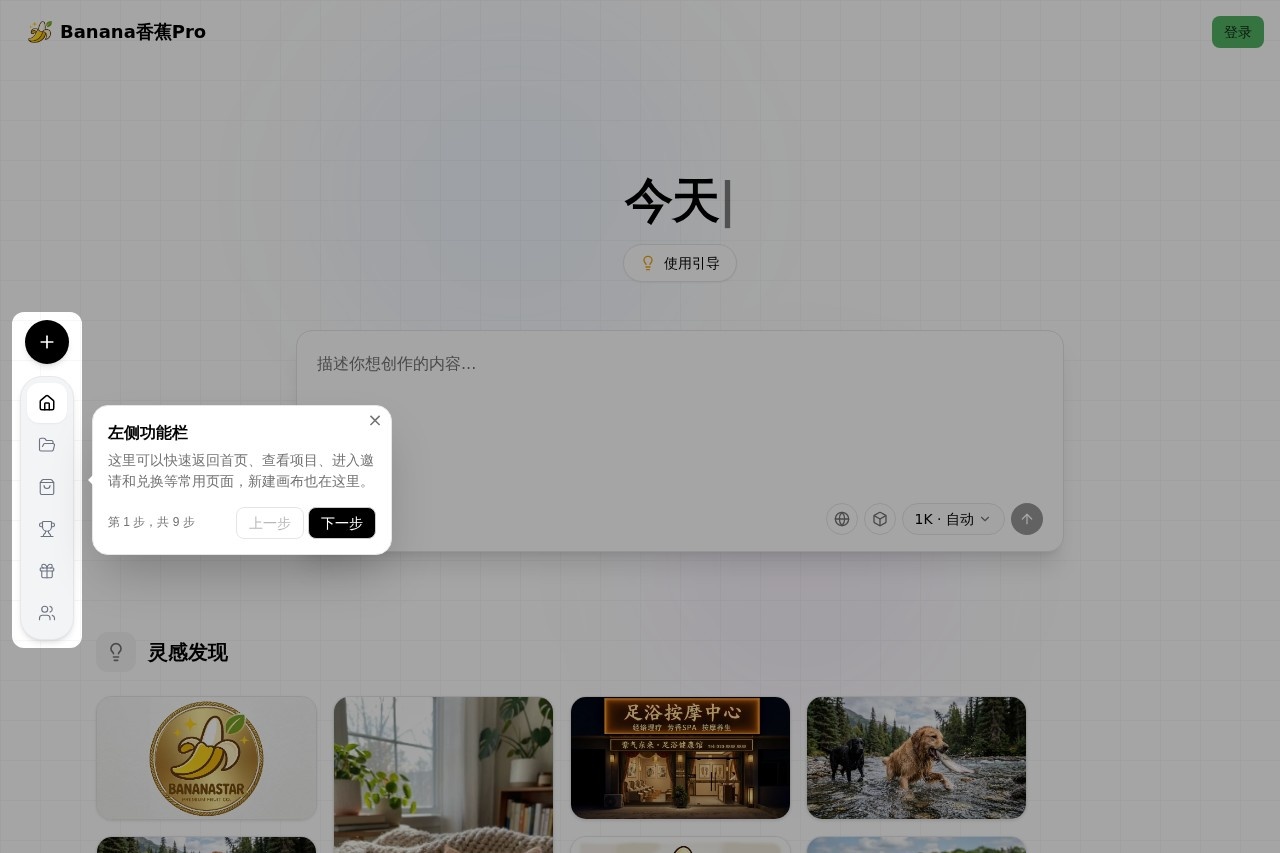
Banana Pro Review: An AI-Powered Visual Content Creation Platform
What is Banana?
Banana Pro is an AI creation platform that specializes in generating visual content. Based on the showcased examples, it appears to be a web-based tool where users can input prompts to create images and potentially videos, with a focus on accessible, prompt-driven creation. The platform hosts user-generated content, as seen by the examples attributed to a user named "nonohu."Core Features
AI Drawing (文生图)
The core functionality is generating images from text descriptions, as demonstrated by prompts like "生成只可爱猫猫" (Generate a cute cat) and "画只狗" (Draw a dog).
Image-to-Image Editing
The platform allows for the modification of existing generated images. This is evident from prompts such as "把他变成一个香蕉人" (Turn him into a banana person) and "这里再加一只黑狗" (Add a black dog here), which imply editing an existing scene.
Practical Content Transformation
It can alter the context or purpose of an image, as shown by the example "改成足浴按摩店" (Change it to a foot massage shop).
Brand Asset Creation
The tool can be used for design purposes, indicated by the prompt "做成品牌LOGO" (Make it into a brand logo).
User Community Gallery
The website displays generated images in a public gallery, showing the creator's name ("by nonohu") and an interaction count (shown as "0" in the provided content).
One-Click Generation
Each example features a "Click to use" button, suggesting a streamlined, prompt-based workflow for quickly generating content.
Application scenarios
Concept Visualization
Quickly generating visual concepts from simple ideas, such as a cat, a dog catching fish, or a specific character (a "banana person").
Marketing & Branding
Creating and iterating on brand assets like logos based on textual descriptions.
Content Editing and Expansion
Modifying existing AI-generated images to add elements, change themes, or adjust the context for stories, social media, or conceptual projects.
Rapid Prototyping
Generating visual prototypes for scenes, characters, or basic design ideas without needing advanced artistic skills.
How to Get Started
Visit the official website at https://bananapro.cc/. The interface suggests a straightforward process: users can likely click on existing examples to use a similar prompt or find an input area to type their own text description to generate new images.Pros and Cons
Advantages
- Ease of Use: The "Click to use" model and simple prompt examples indicate a low barrier to entry for creating images.
- Rapid Iteration: Features like adding elements to an existing image ("这里再加一只黑狗") suggest the tool supports quick edits and iterations on a concept.
- Creative Flexibility: The ability to transform an image's entire theme (e.g., into a foot massage shop) shows potential for creative exploration and adaptation.
- Focused Toolset: It appears dedicated to specific, practical AI generation tasks like drawing and editing, which can streamline the workflow.
Limitations
- Content Ambiguity: The provided website snippet is primarily a gallery of examples. Specific details on model capabilities, resolution, video generation features ("sora2 video生成"), and the full scope of "一站式创作" (one-stop creation) are not elaborated upon.
- Unknown Output Control: The level of user control over image style, composition, and advanced parameters is not demonstrated in the given content.
Who Should Use Banana?
Banana Pro seems well-suited for content creators, marketers, and hobbyists who need to generate or modify simple visual concepts and illustrations rapidly. Its apparent simplicity makes it accessible for users who want to experiment with AI image generation without a complex interface, particularly for brainstorming, prototyping, or creating basic graphic content. The branding-related example also suggests utility for small business owners or entrepreneurs looking to quickly visualize logo ideas.Frequently Asked Questions
What is Banana Pro?
What types of content can I create with Banana Pro?
Is Banana Pro suitable for beginners?
How does the text-to-image feature work?
Can I use Banana Pro for commercial projects?
What file formats does Banana Pro support for output?
Banana - AI Tool Detail
Banana Pro is an AI creation platform specializing in AI drawing, video generation, text-to-image, and image-to-video services, enabling users to quickly produce high-quality visual content.
Category:圖像生成
Visit Link:https://bananapro.cc/
Tags:AI drawing、video generation、text-to-image、image-to-video、visual content creation