
Caiyun Xiaoyi
Caiyun Xiaoyi is an AI-powered translation tool by Caiyun AI, offering text, document, and webpage translation, a terminology database, browser extensions, and bilingual comparison for efficient multi
What is Caiyun Xiaoyi?
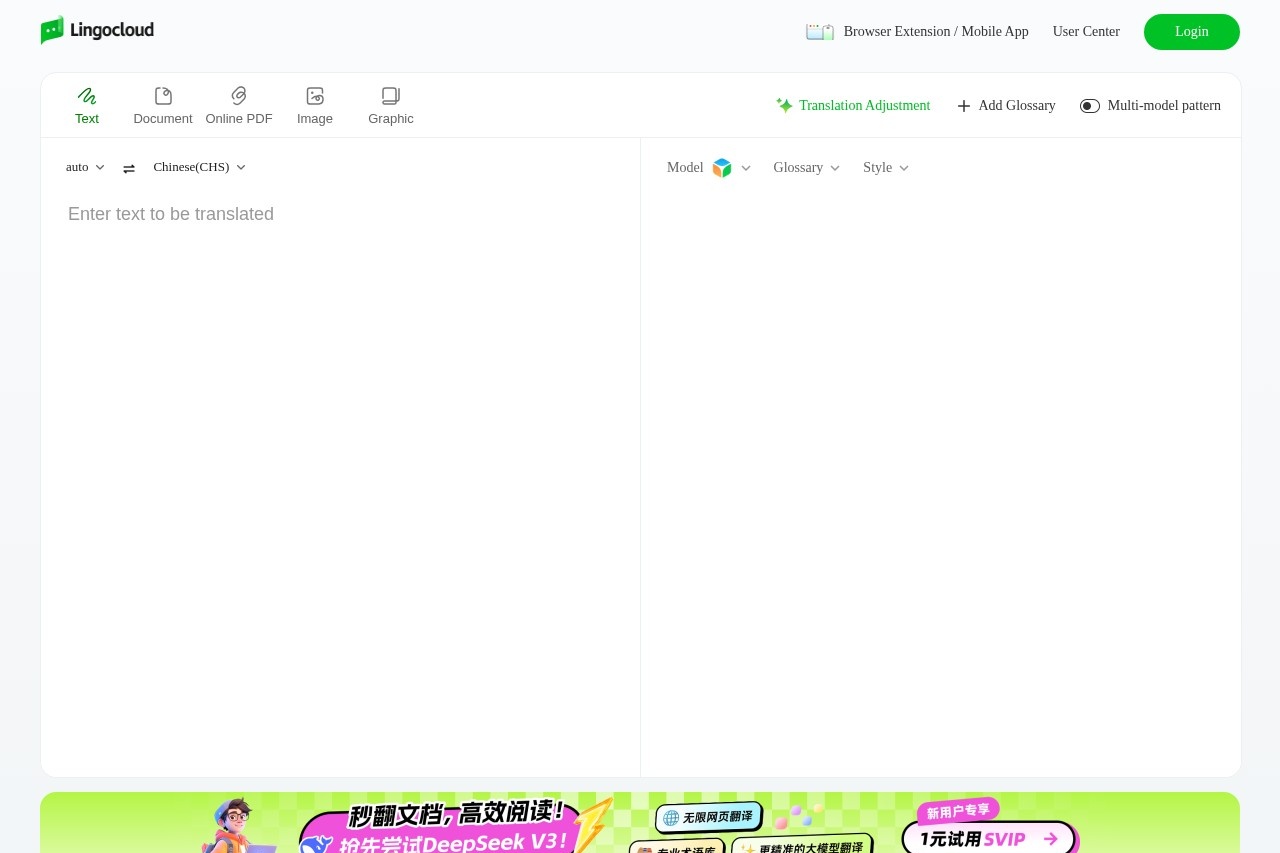
Caiyun Xiaoyi is an AI-powered translation tool developed by Caiyun AI. It is a web-based platform for translating text, documents, and webpages. Users leverage it for efficient multilingual work with support for terminology management and bilingual comparison.Application scenarios
Document translation
Translating uploaded documents and online PDF files.
Web content translation
Translating entire webpages directly via a browser extension.
Text processing
Translating copied text or text within images and graphics.
Localization work
Maintaining consistency in translations using a custom terminology database.
Bilingual review
Comparing source and translated text side-by-side for accuracy.
Cross-platform use
Accessing translation via browser extensions and mobile apps.
Core Features
Multi-format translation
Translate standard text, documents, online PDFs, images, and graphics.
Browser extension
Translate web content directly within your browser.
Terminology database (Glossary)
Create and apply a custom glossary to ensure consistent translation of specific terms.
Bilingual comparison
View source and translated text in a side-by-side layout.
Translation model selection
Choose between different AI models, such as the "Lingocloud V4" model.
Translation style and adjustment
Adjust the style and fine-tune the translation output.
Auto language detection
The tool automatically detects the source language of the input.
Multi-model pattern
Utilize different translation modes or patterns for varied content.
Target users
This tool benefits professionals and teams who regularly work with multilingual content. Key users include translators, localization specialists, researchers handling foreign documents, students, and any individual or business needing efficient and consistent translation of texts, files, or websites.How to use Caiyun Xiaoyi?
Access the tool via its official website. You can log in to a user center for personalized features. To translate, select an input type like "Text," "Document," or "Image," paste or upload your content, and select the target language. Use the glossary feature to add custom terms before translating. For webpage translation, install the provided browser extension.Effect review
The platform positions itself as a tool for "efficient and accurate" translation, centered on practical features like glossary management and bilingual comparison. The inclusion of specialized options like translation style adjustment and multiple AI models suggests a focus on providing users with control over output quality. For typical users, the combination of document, text, and webpage translation in one interface, augmented by terminology management, implies a streamlined workflow for serious multilingual tasks.Frequently Asked Questions
What is Caiyun Xiaoyi?
What types of translation does Caiyun Xiaoyi support?
Does Caiyun Xiaoyi have browser extensions?
What is the bilingual comparison feature?
Is Caiyun Xiaoyi free to use?
How does Caiyun Xiaoyi handle specialized terminology?
Caiyun Xiaoyi - AI Tool Detail
Caiyun Xiaoyi is an AI-powered translation tool by Caiyun AI, offering text, document, and webpage translation, a terminology database, browser extensions, and bilingual comparison for efficient multi
Category:Tradução por IA
Visit Link:https://fanyi.caiyunapp.com/
Tags:translation tool、AI translator、browser extension、document translation、bilingual comparison