
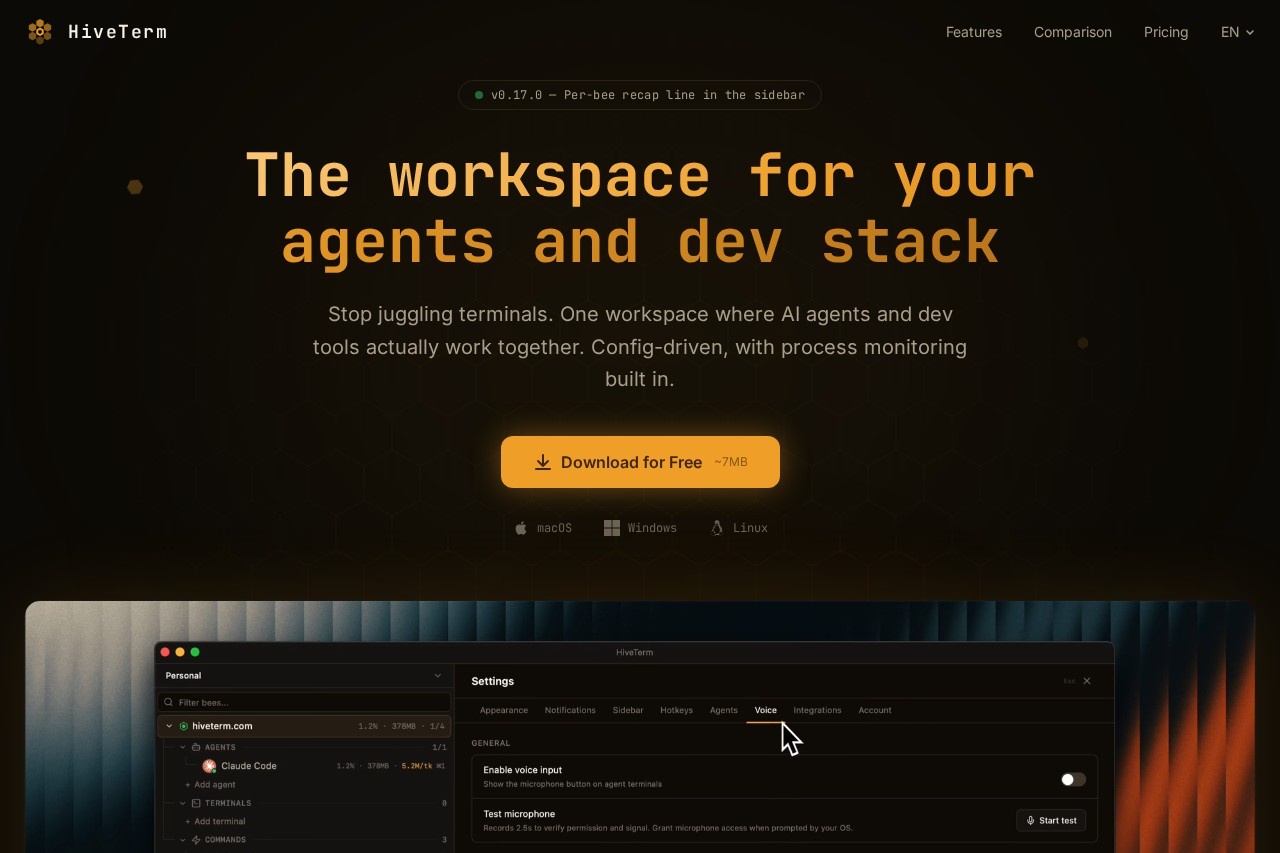
What is HiveTerm?
HiveTerm is a config-driven workspace that combines AI agents and dev tools into a single terminal environment. It replaces juggling multiple terminals by letting agents and processes work together in one window. Users set up projects, define agents via ahive.yml file or UI, and run hv swarm to coordinate them. The tool includes built-in process monitoring, crash recovery, and native desktop notifications. It's free on macOS, Windows, and Linux.Application scenarios
Agent coordination
Agents like Claude and Codex work together—Claude spawns a test runner, Codex reads its output, and a build agent notifies you when done.
Automated debugging
An agent checks dev server logs, spots an error, writes a fix, and restarts the process without you asking.
Sub-agent spawning
Claude finds a failing test, spins up a dedicated fixer agent, and keeps working on its own task.
Voice input for agents
Press a key, speak your idea, and the transcription lands in the agent's input (supports 11 languages plus auto-detect).
Team configuration sharing
Commit your `hive.yml` to the repo; teammates clone it and run `hv swarm` to get the exact same setup.
Long-running build monitoring
Agents send native desktop notifications when builds finish, so you can work on something else.
Core Features
Config-driven setup (hive.yml)
Define all your bees (agents and commands) in a single YAML file. Commit it, and teammates get the same environment instantly.
Built-in MCP server
Agents communicate through a local MCP server, enabling sub-agent spawning, output reading, and desktop notifications.
Process monitoring & auto-restart
CPU and memory usage per process are displayed; crashed processes restart automatically.
Voice-to-agent input
Press ⌘⇧M or click the floating mic to speak to agents. Transcription goes to the input field; nothing is sent until you hit enter.
Real terminal with full PTY support
All processes—agents, dev servers, watchers, tests—run in real terminals with split panes and tab switching.
Output buffering
Check what a headless agent did while you were away, thanks to output buffering.
Cross-platform support
Works on macOS, Windows, and Linux with a ~7MB download.
Agent coordination
Agents spawn sub-agents, read each other's output, and notify you when they need your input.
Target users
This tool is for developers and teams who run multiple terminal processes and AI agents simultaneously. It suits software engineers, DevOps engineers, and AI researchers who need automated agent coordination, process monitoring, and team-shareable configurations.How to use HiveTerm?
- Open a project: Add a project folder; HiveTerm detects your stack automatically.
- Set up your agents: Add agents and commands via the UI or write a
hive.ymlfile. - Let them work: Run
hv swarmto start coordination. Agents use MCP to communicate, spawn sub-agents, and notify you when they need attention. - Voice input (optional): Press the mic button or ⌘⇧M to speak to agents; transcription appears in the input field.
Pricing and free trial
HiveTerm is free to start. The Free tier ($0/forever) includes up to 3 projects, 5 bees per project (20 total bees), 2 MCP sub-agents, full terminal and PTY support, and config-driven setup. A Pro tier is listed as "MOST POPULAR" with "No limits. Run as many pr..." but exact pricing is not provided in the text.Effect review
HiveTerm delivers on its promise of a unified workspace where AI agents and dev tools collaborate without manual juggling. The config-driven approach viahive.yml makes team setup reproducible, and built-in MCP server coordination is a practical step beyond basic terminal multiplexers. Voice input and crash recovery add real convenience for busy developers. For a free tool with this level of agent orchestration, it's a strong contender for anyone tired of toggling between terminals and managing agents manually.Frequently Asked Questions
什麼是 HiveTerm?
HiveTerm 是免費的嗎?
HiveTerm 支援哪些作業系統?
HiveTerm 的主要功能有哪些?
HiveTerm 的流程監控如何運作?
我可以自訂 HiveTerm 的工作區嗎?
HiveTerm - AI Tool Detail
HiveTerm 結合 AI 代理與開發工具於單一配置驅動的工作區,內建流程監控,免費支援 macOS、Windows 和 Linux。
Category:代理人
Visit Link:https://hiveterm.com/
Tags:AI代理、開發工具、流程監控、跨平台、配置驅動工作區